Pickle Robot Design System
P
Robot
Physical AI for supply chain automation
h1
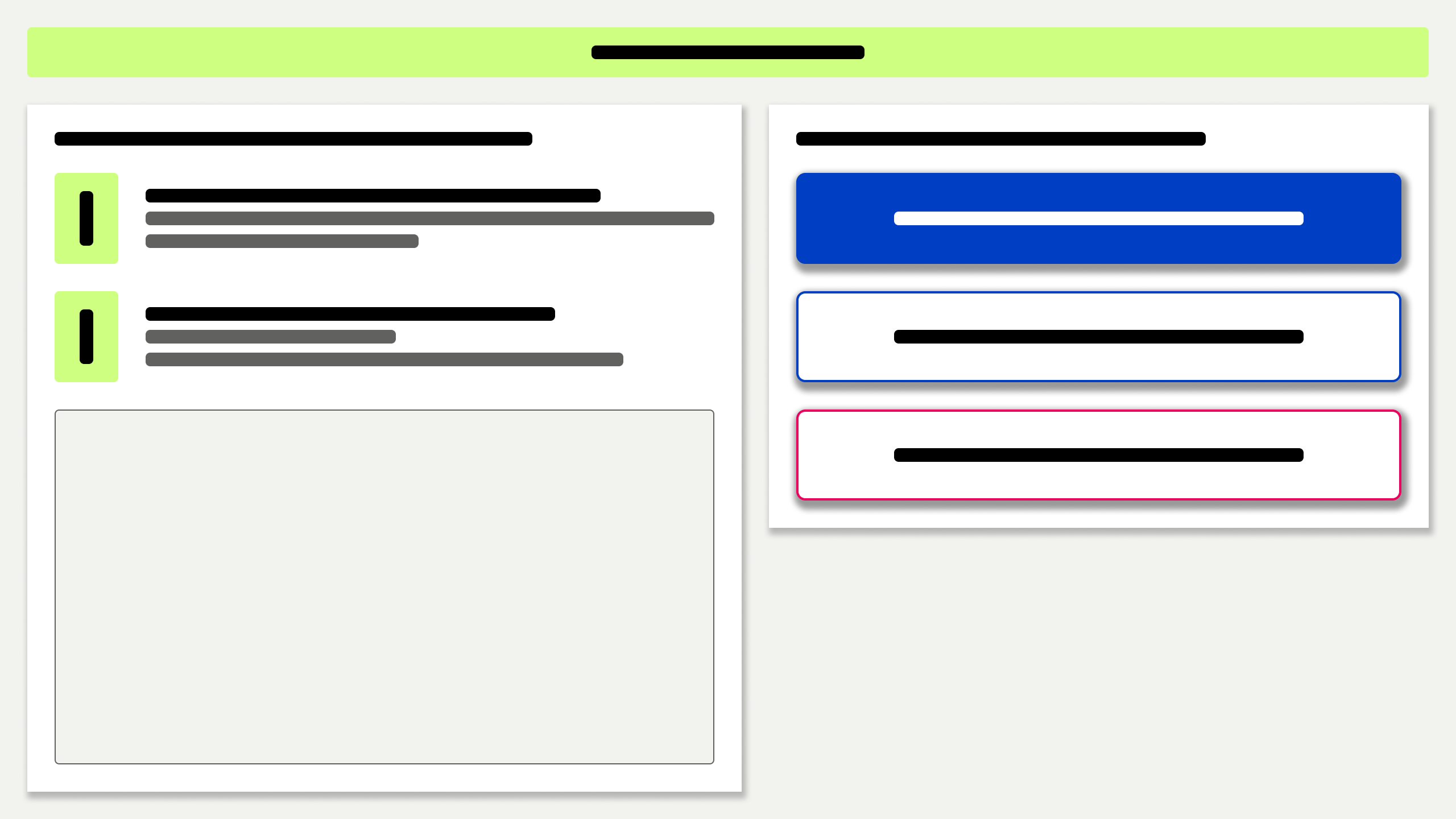
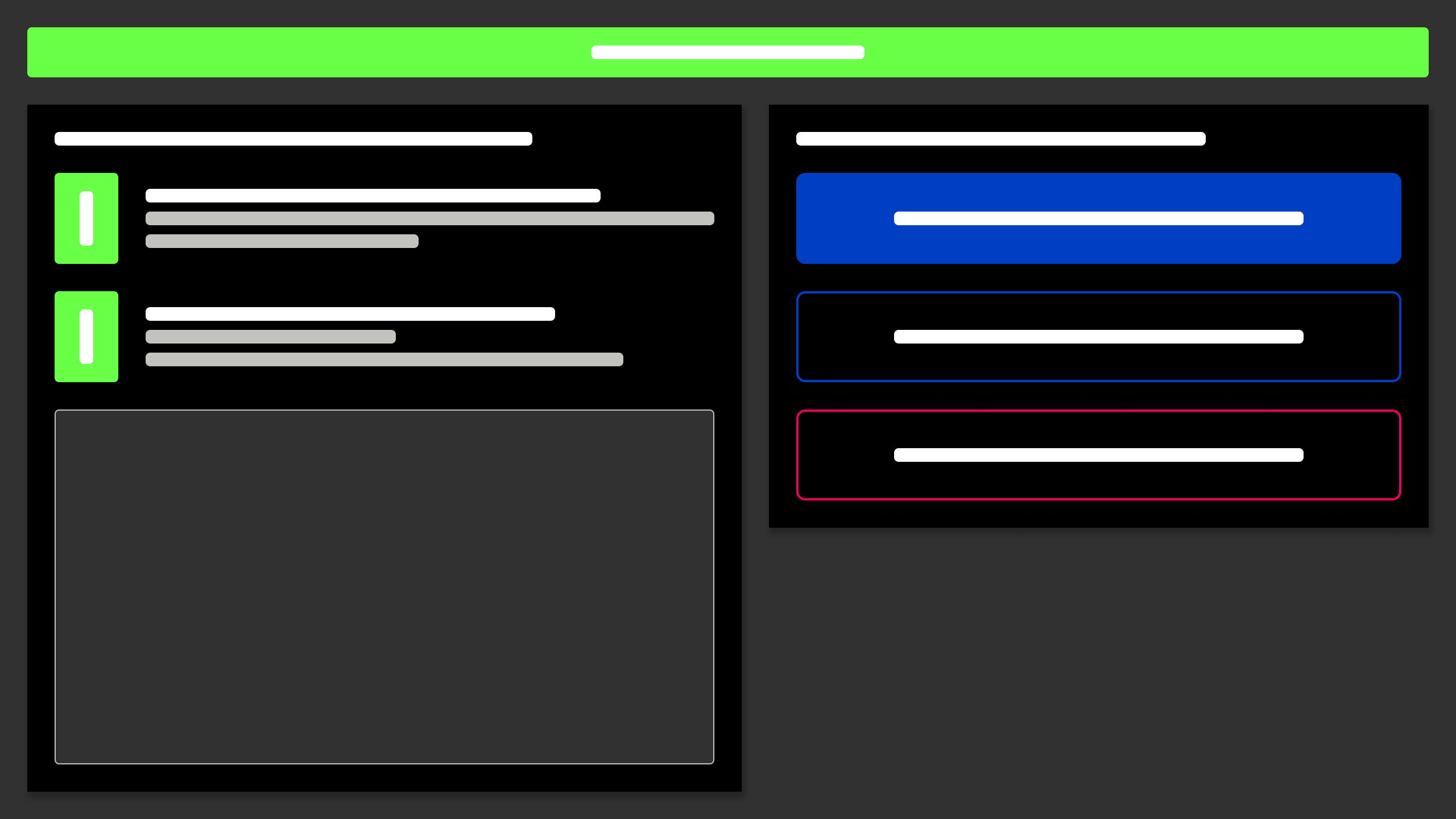
Elevation: low
Open the door & install the ramp
body

Driving

Unload trailer


Starting up
1
Creating the Pickle Robot design system
How I took Pickle Robot's interface from engineer-operated to operator-ready
The problem
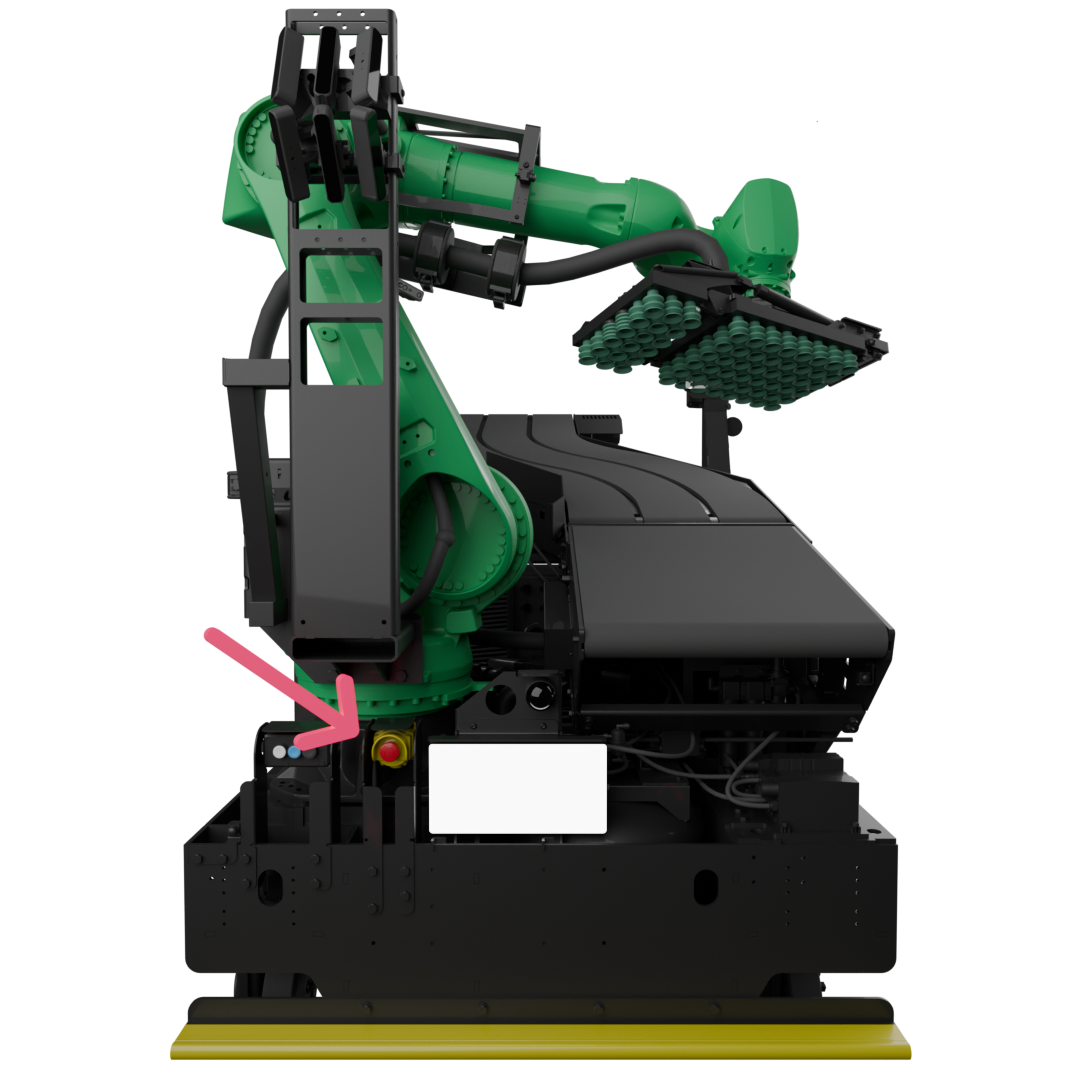
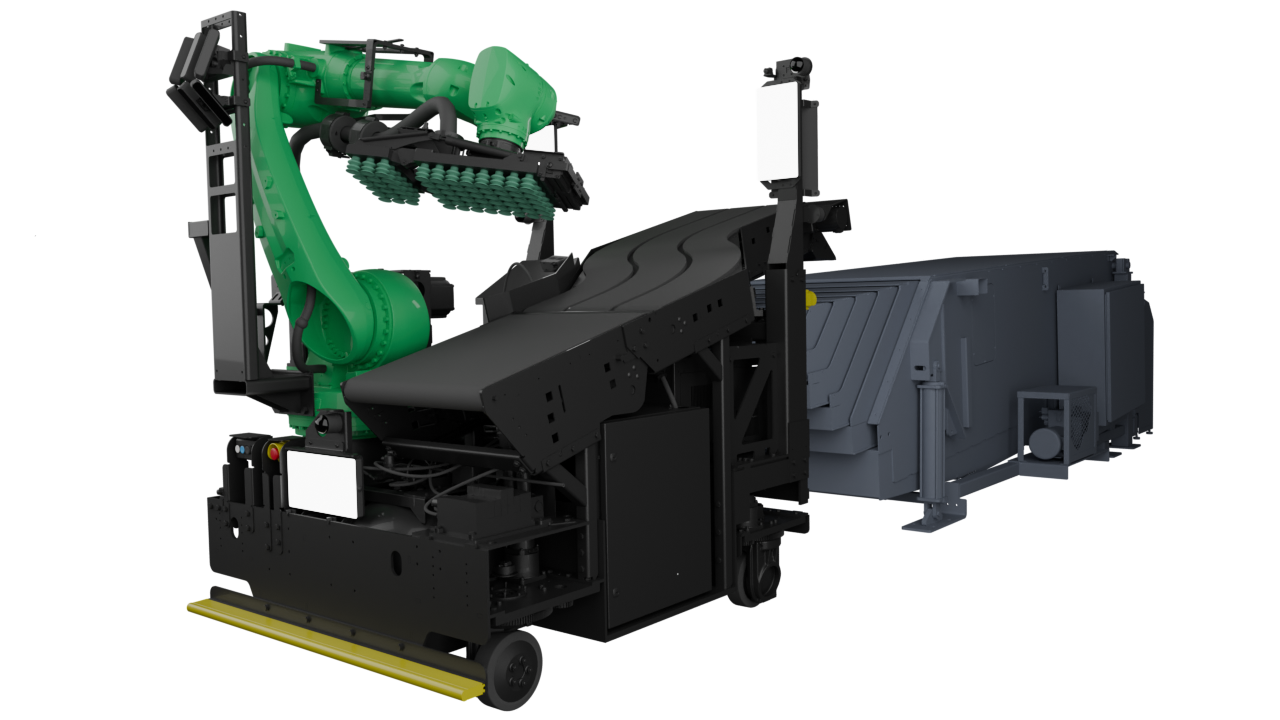
Pickle Robot makes autonomous robots that unload trailers and shipping containers. Truck unloading represents the hardest physical labor in the warehouse, a job where turnover is high and the work conditions are grueling. I was brought on as a contractor because the team felt stuck and needed design help. The existing interface was built to get the technology working, not to put it in the hands of operators. It was dense, jargon-heavy, with no clear sense of flow or system status.
At the time, Pickle's own deployment engineers were running the robots on behalf of customers. Getting operators trained and running robots independently was the only way Pickle could scale its business.
I came in knowing I'd need to build trust and establish a UX practice from the ground up at a fast-moving startup.
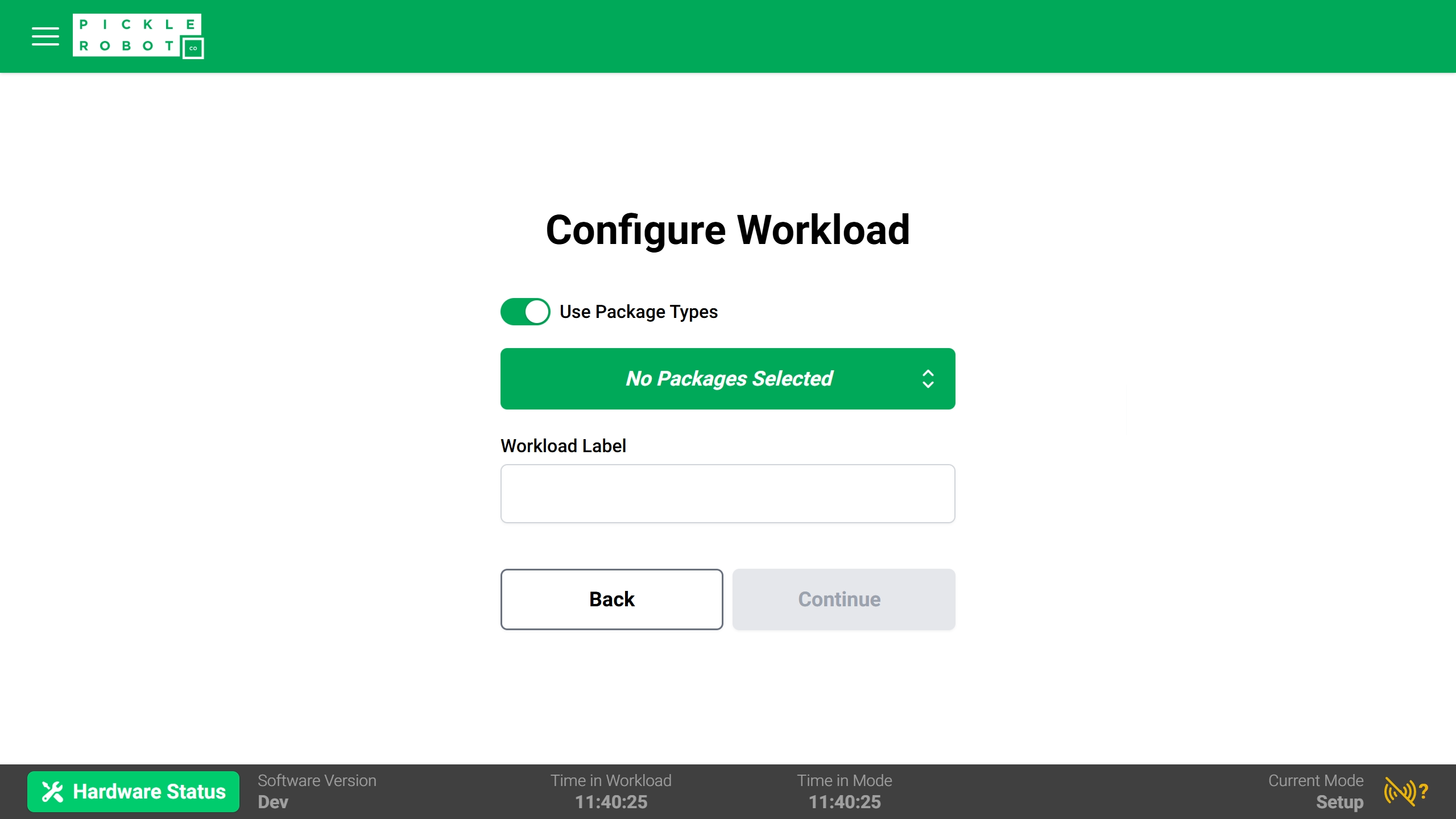
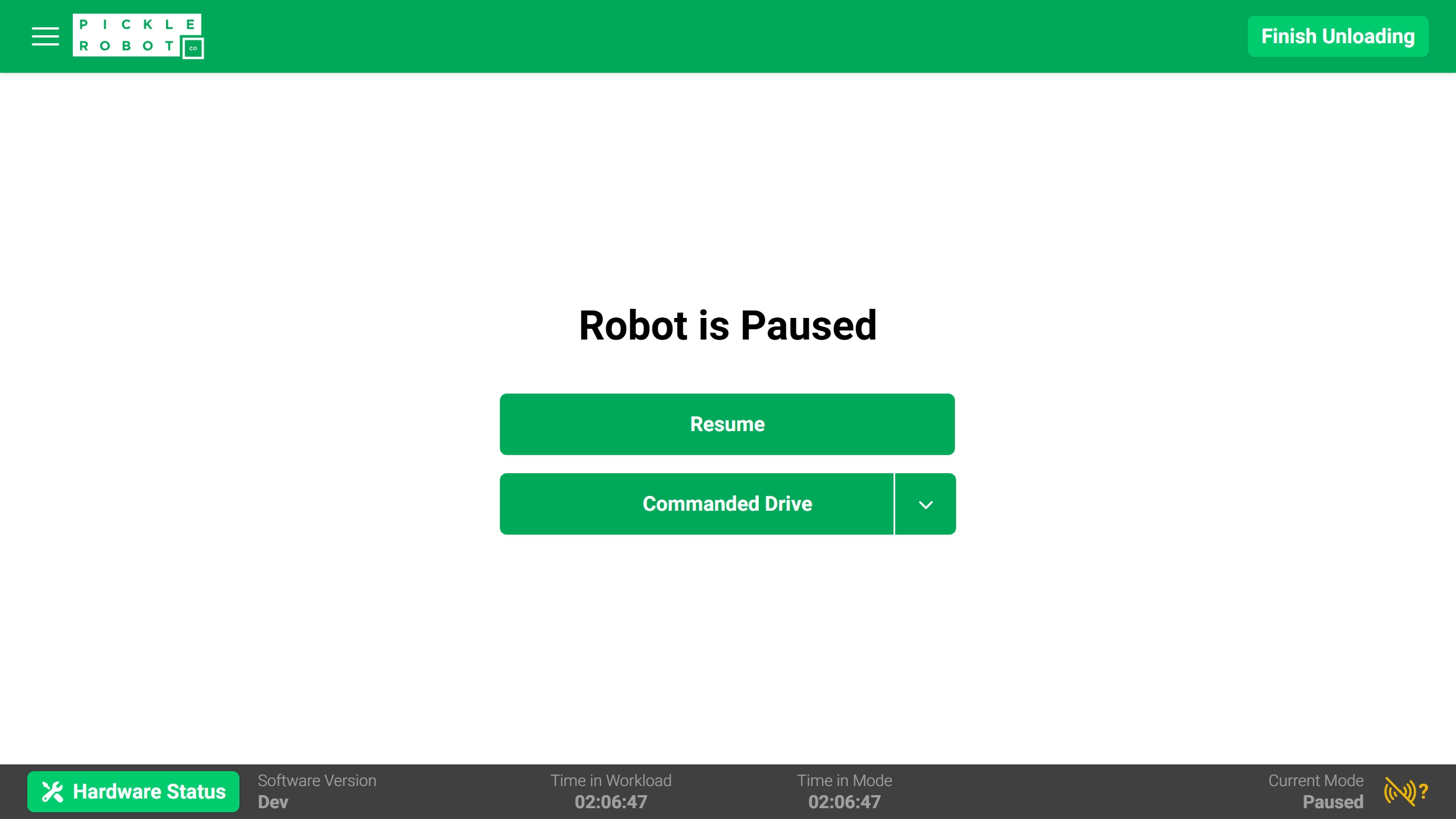
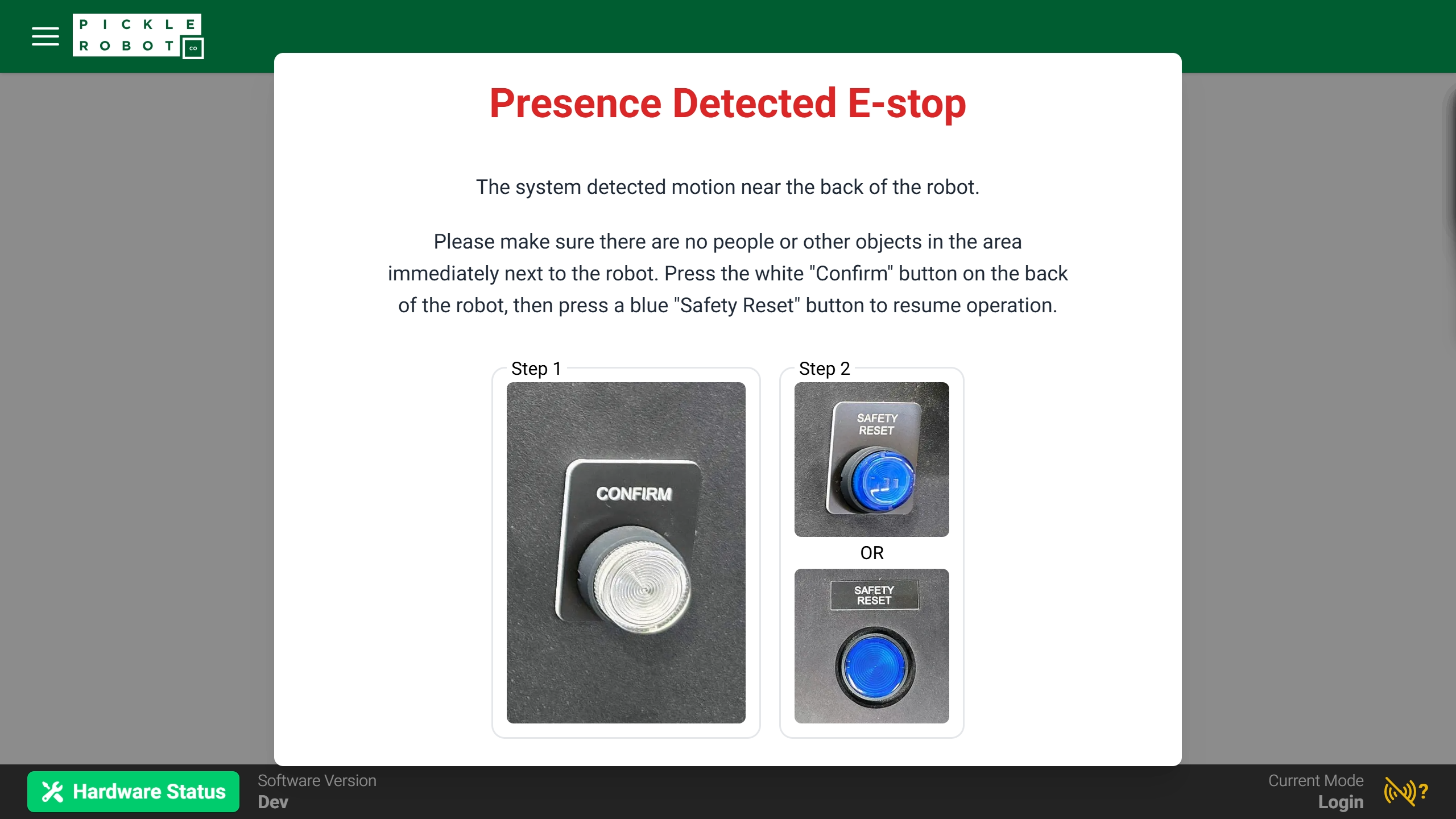
The interface from before I joined Pickle
Building trust & credibility
I started with a thorough audit of the existing interface - documenting user flows, inconsistencies, and missing feedback states. The core workflows were actually in decent shape; an experienced user could operate the robot once they understood the overall process. The real gap was in how the interface communicated system state. There was no sense of wayfinding, no feedback about what the robot was doing or why.
I built an initial design system to address this directly, applying accessibility standards and established HMI conventions throughout. I also partnered with the technical writer to publish a glossary of customer-facing terms and remove technical jargon from the product.
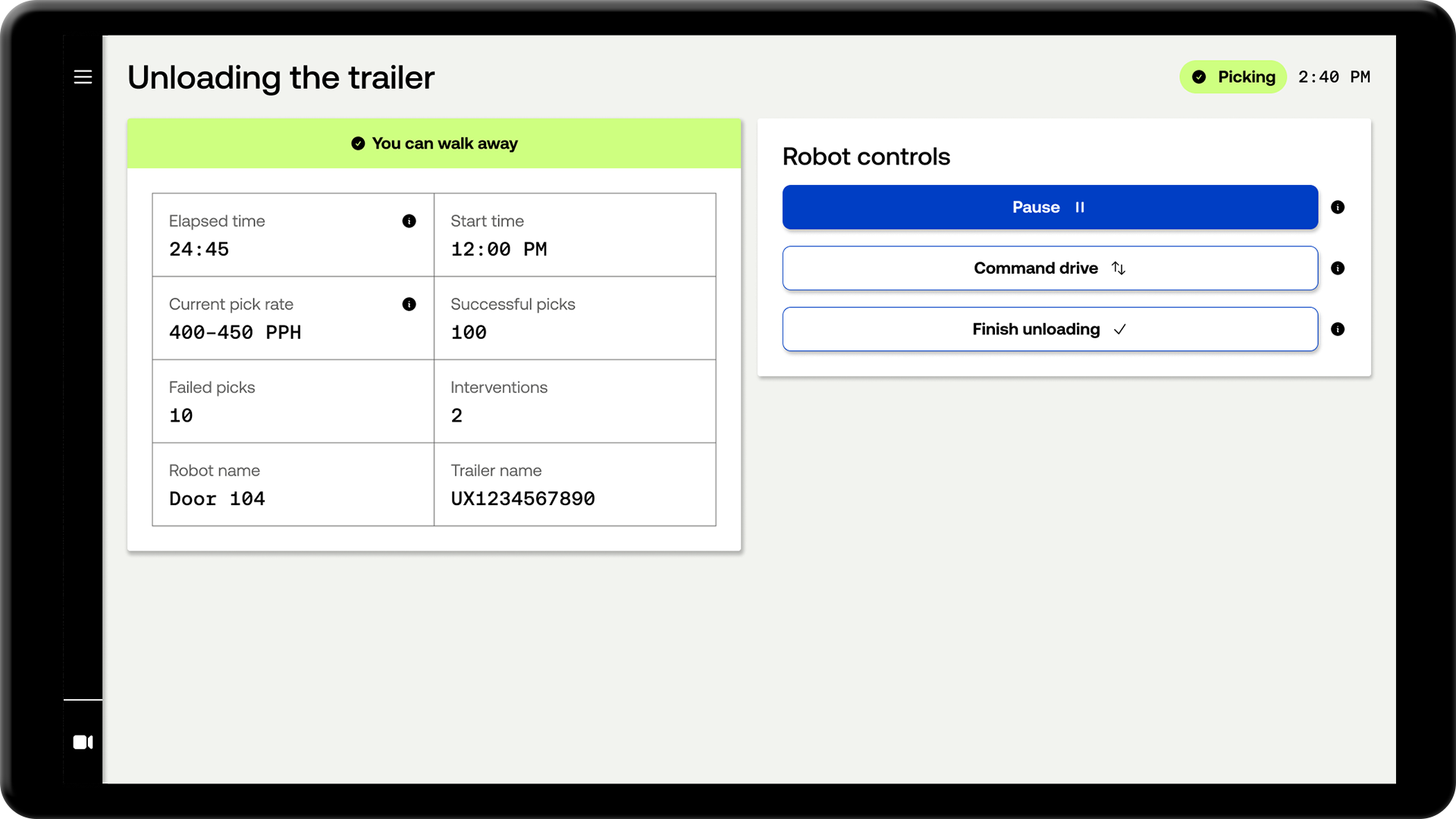
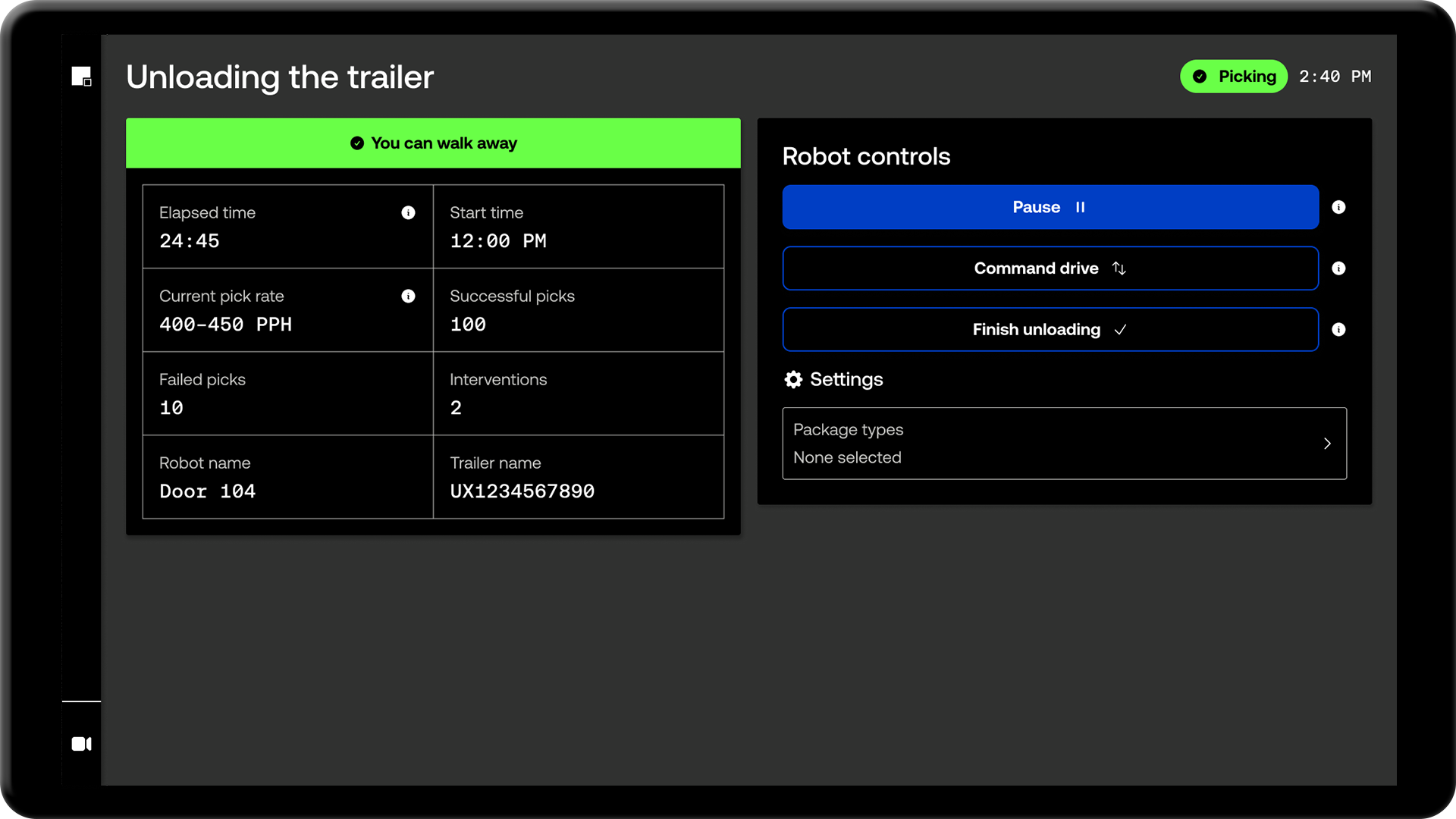
The result was a set of roughly 100 high-fidelity designs - a complete visual overhaul of the existing interface. The team's response was immediate. For the first time, they could see what the product was capable of becoming.
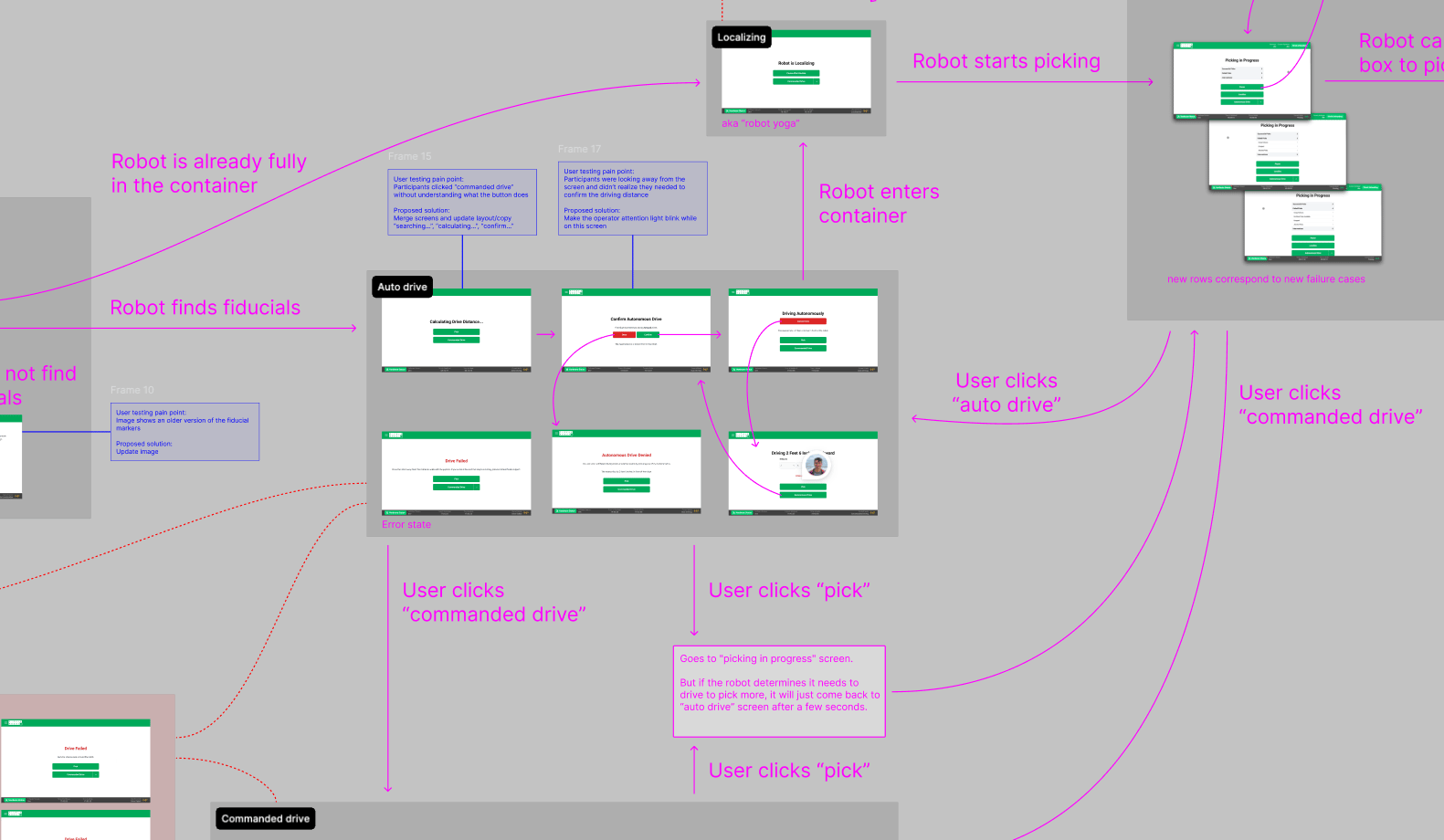
Audit of the original user flows
User testing at customer sites
With operator training a few months out, I worked closely with the front-end engineer to see the redesign through to production. I also partnered with the technical writer to make sure the first operator manual was ready in time.
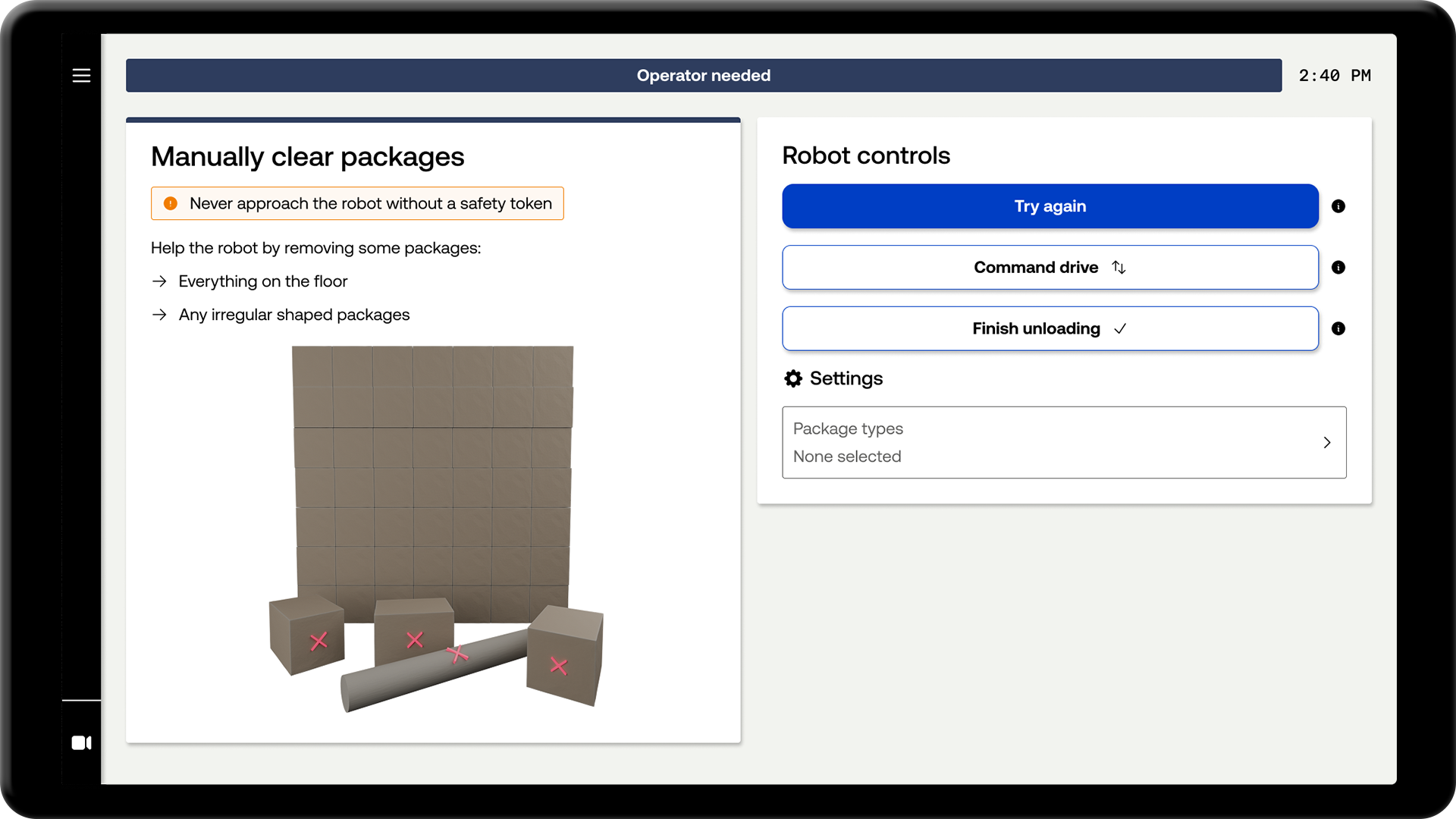
The training sessions were our first opportunity to collect real user feedback. I flew to the customer sites to observe, interview operators, and document issues firsthand. The findings went back to the executive team as a prioritized list of usability improvements.
We scored a 77 on the System Usability Scale - above the industry average of 68. It's worth noting the survey was administered right after training, so operators had limited time on the robot. The key finding I brought back to leadership: the interface was ready for handover, but operators still needed a Pickle engineer on-site.
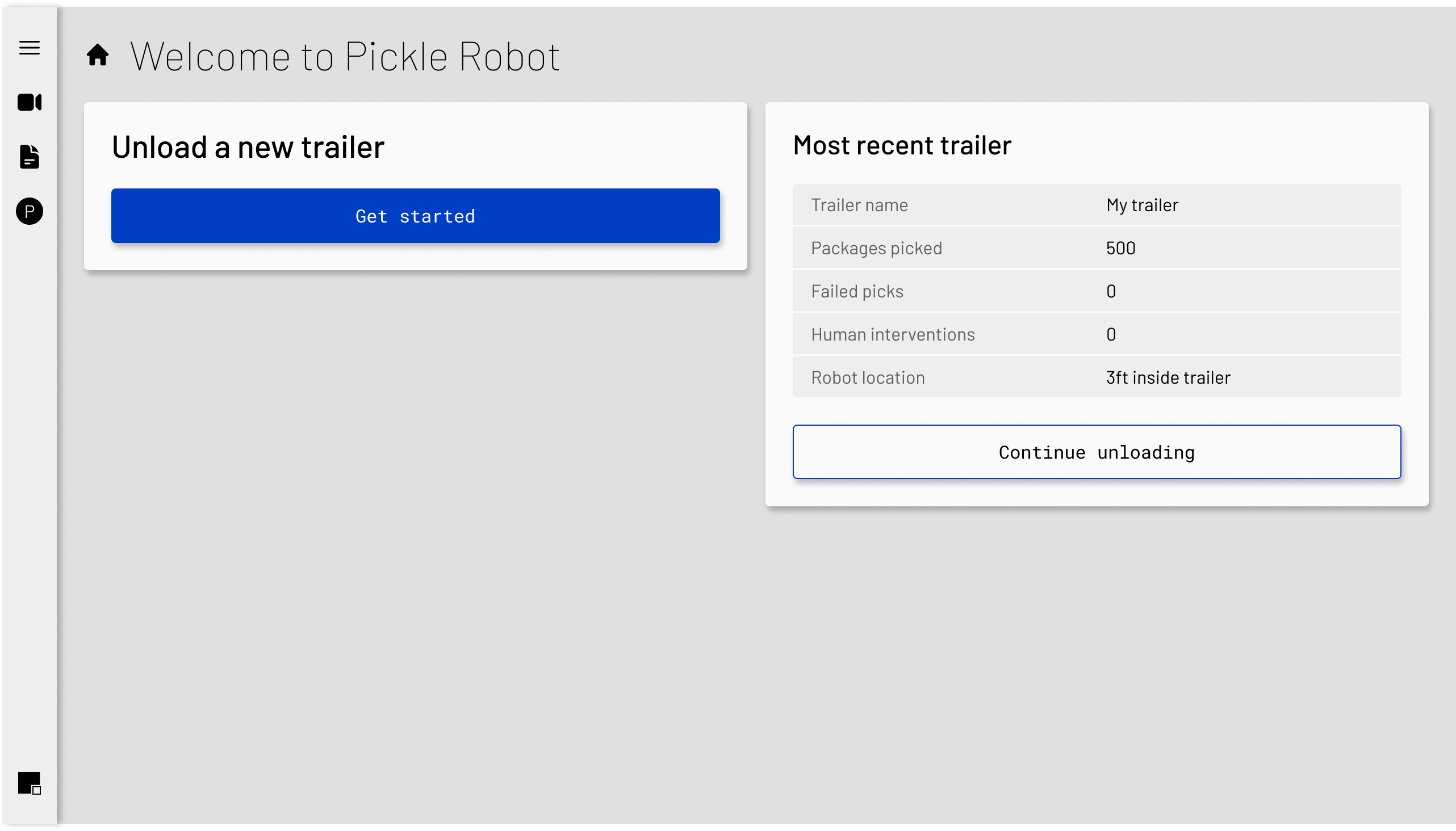
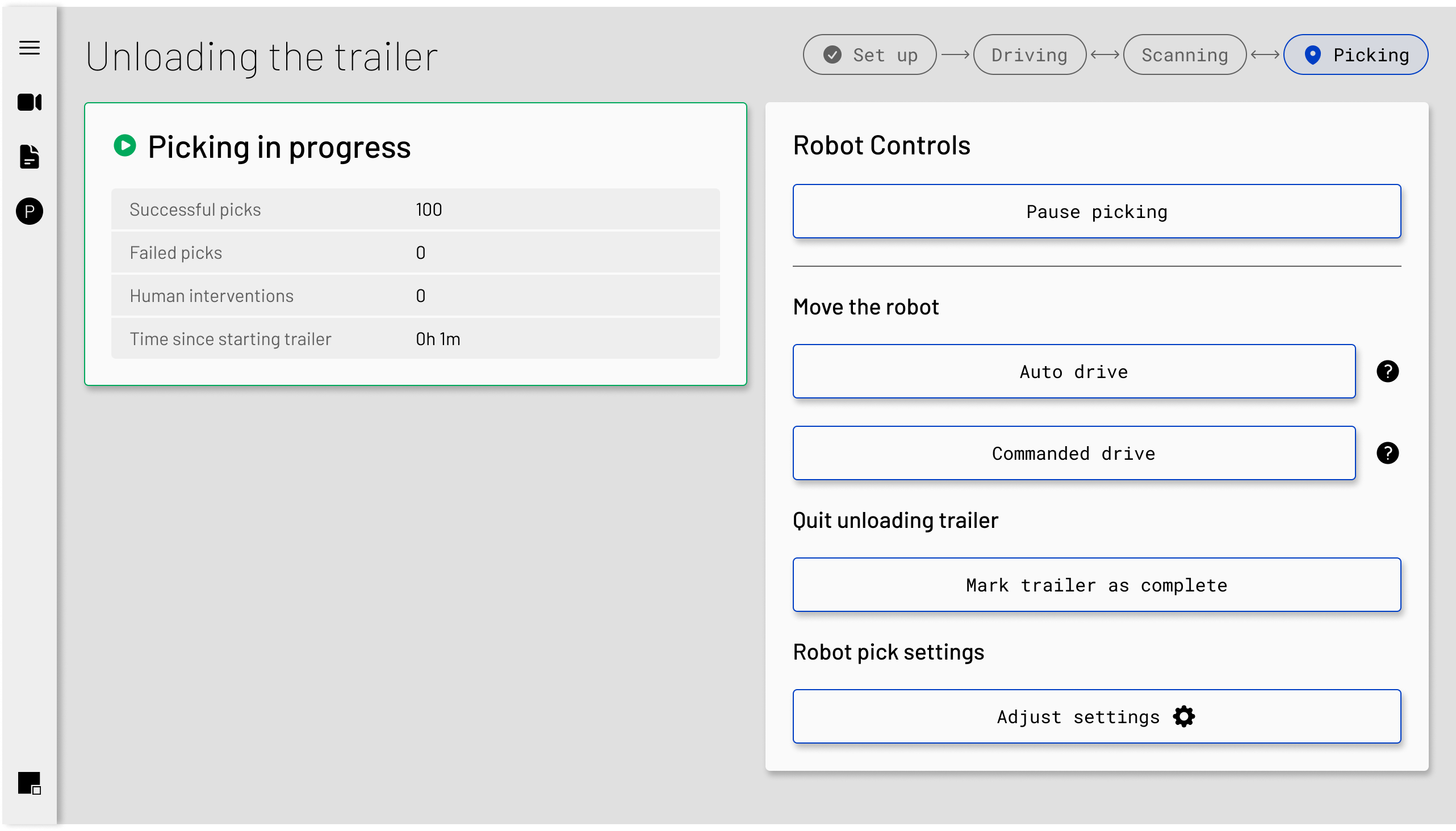
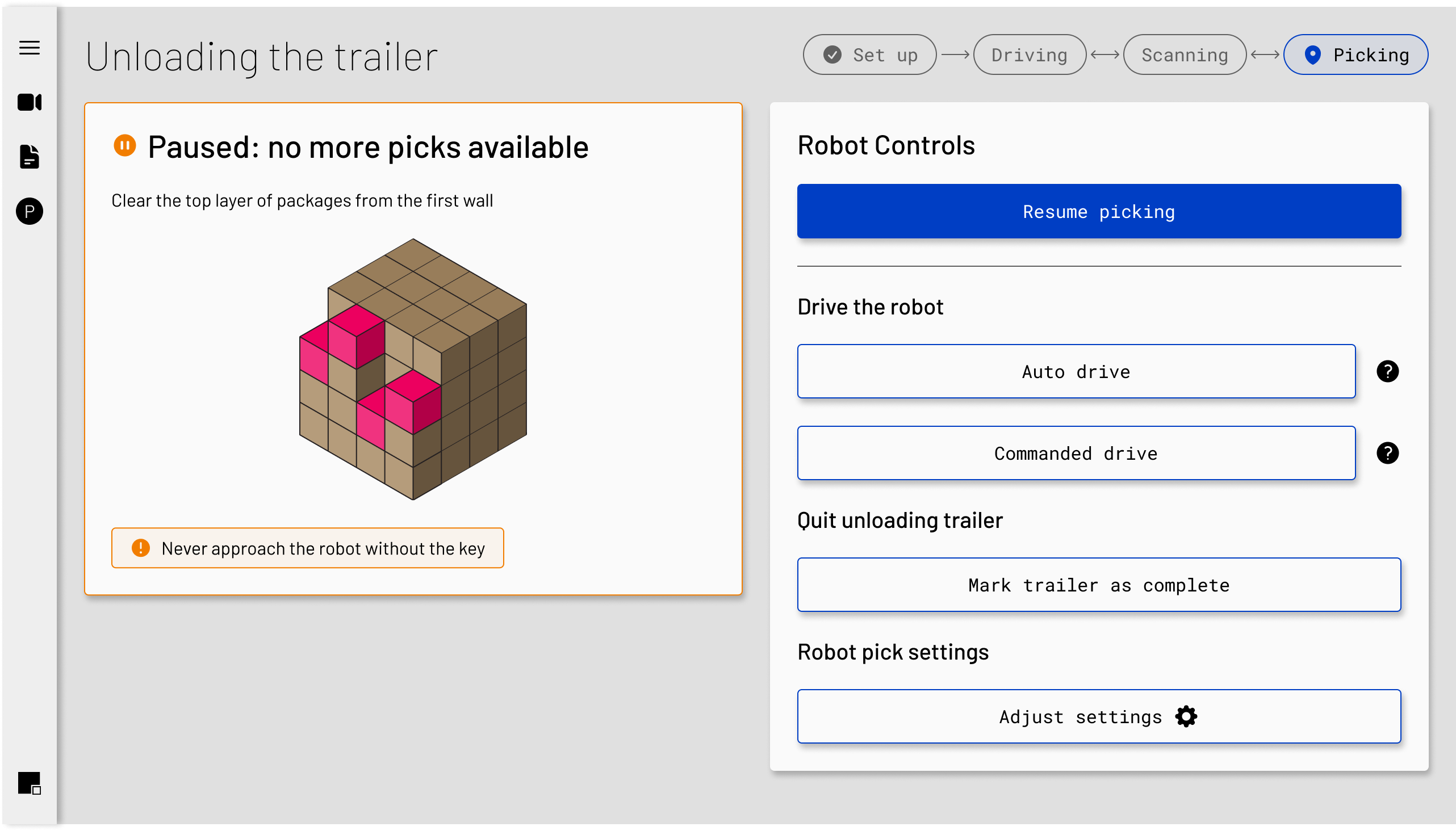
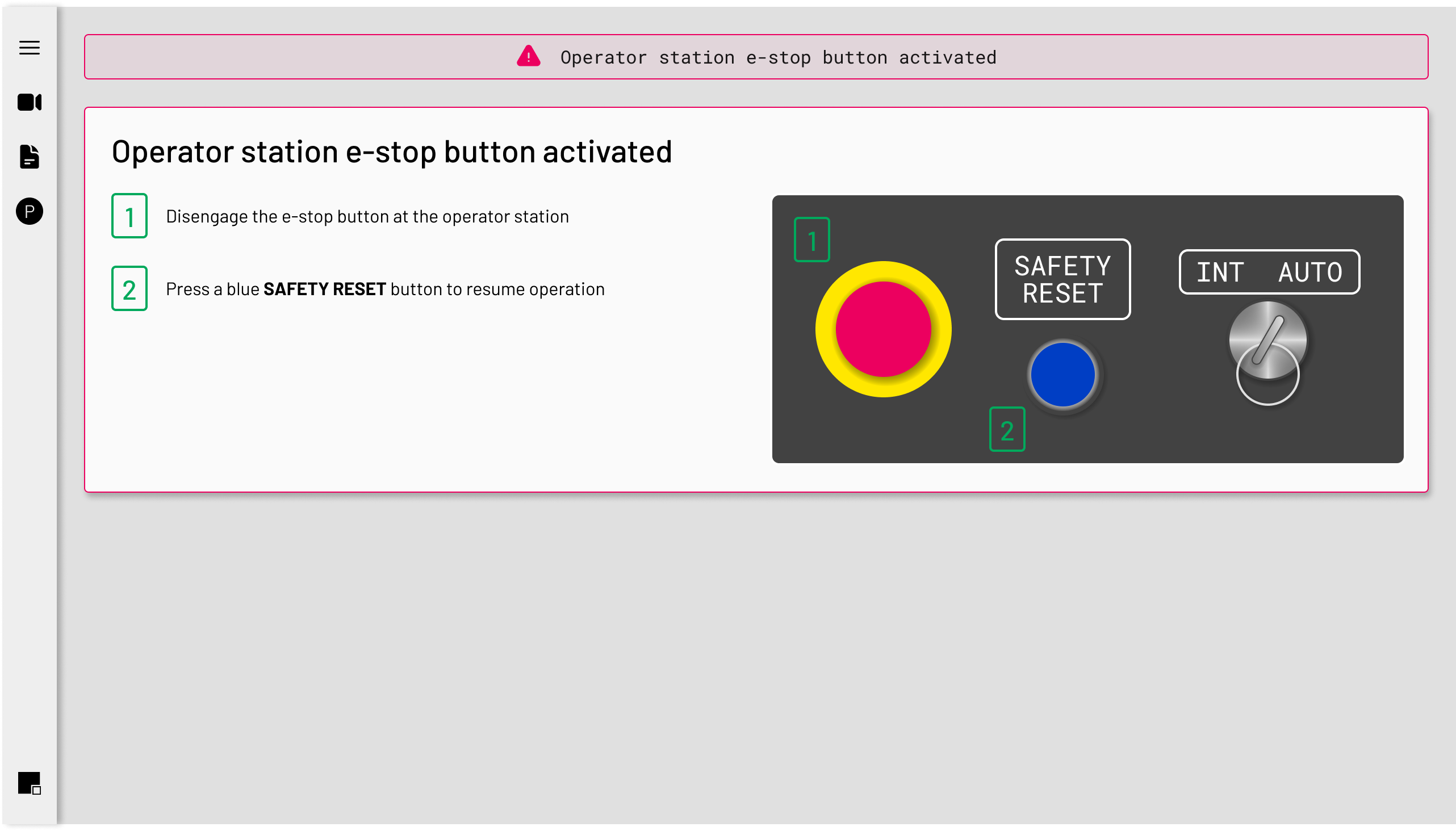
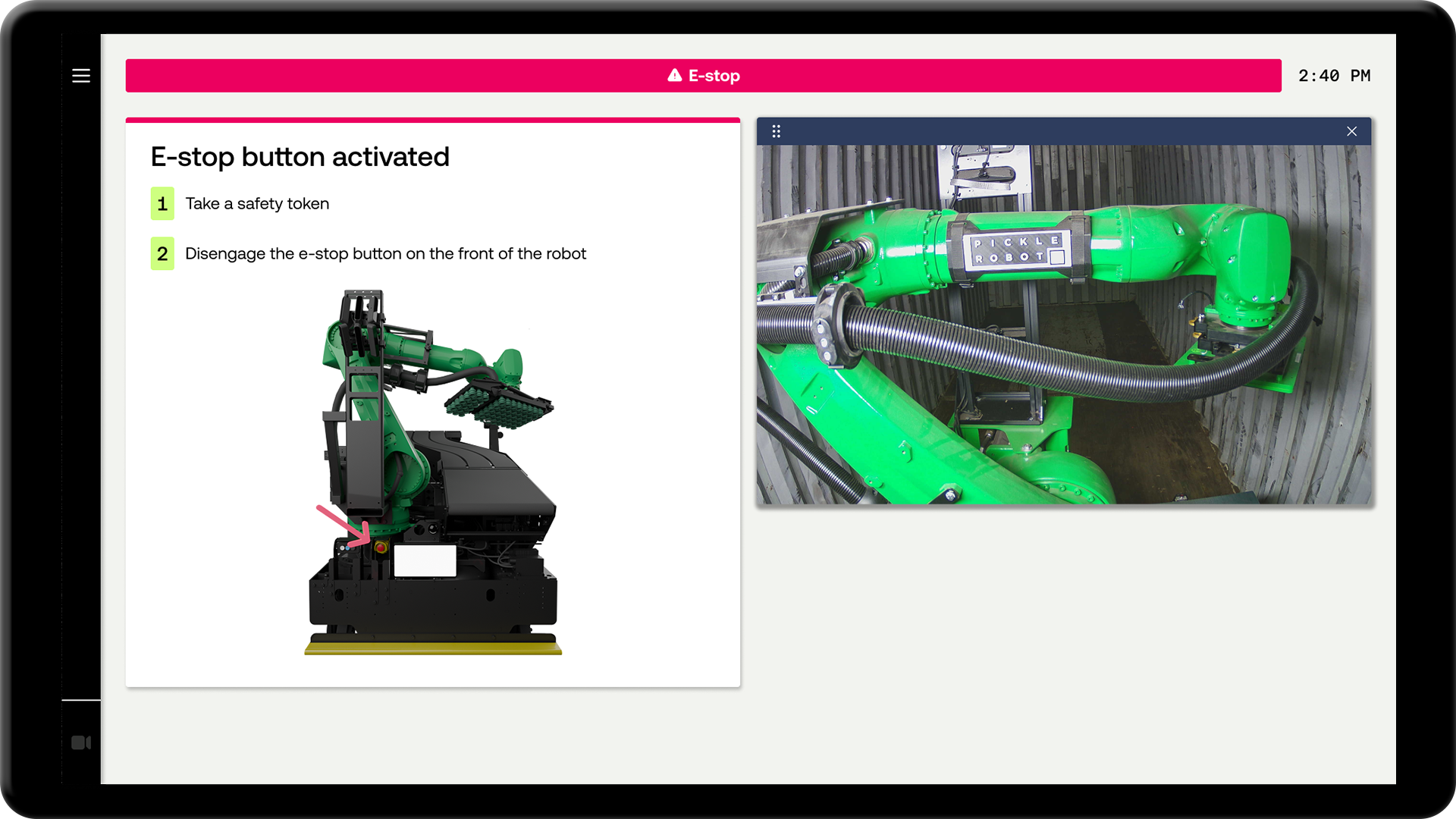
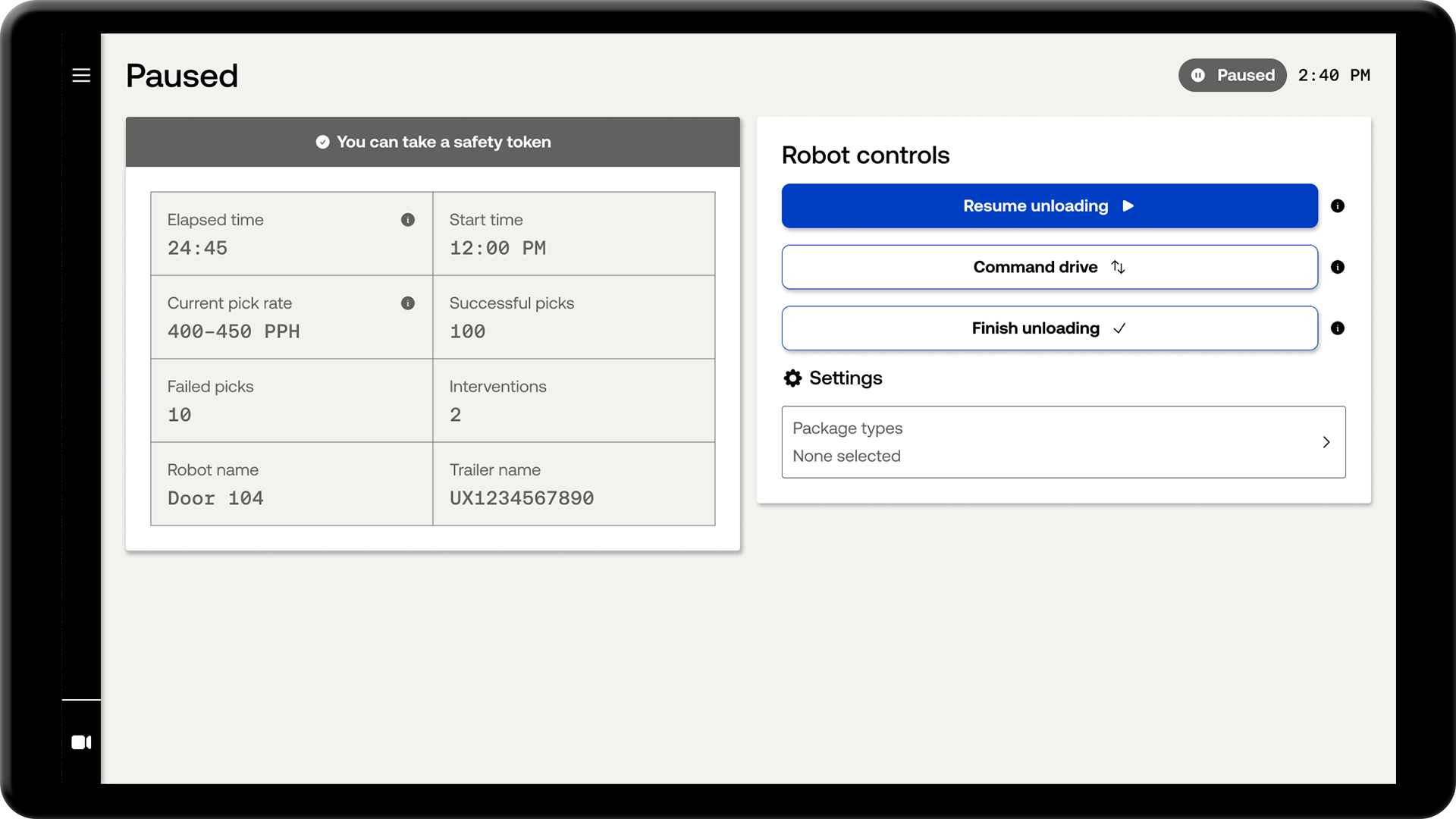
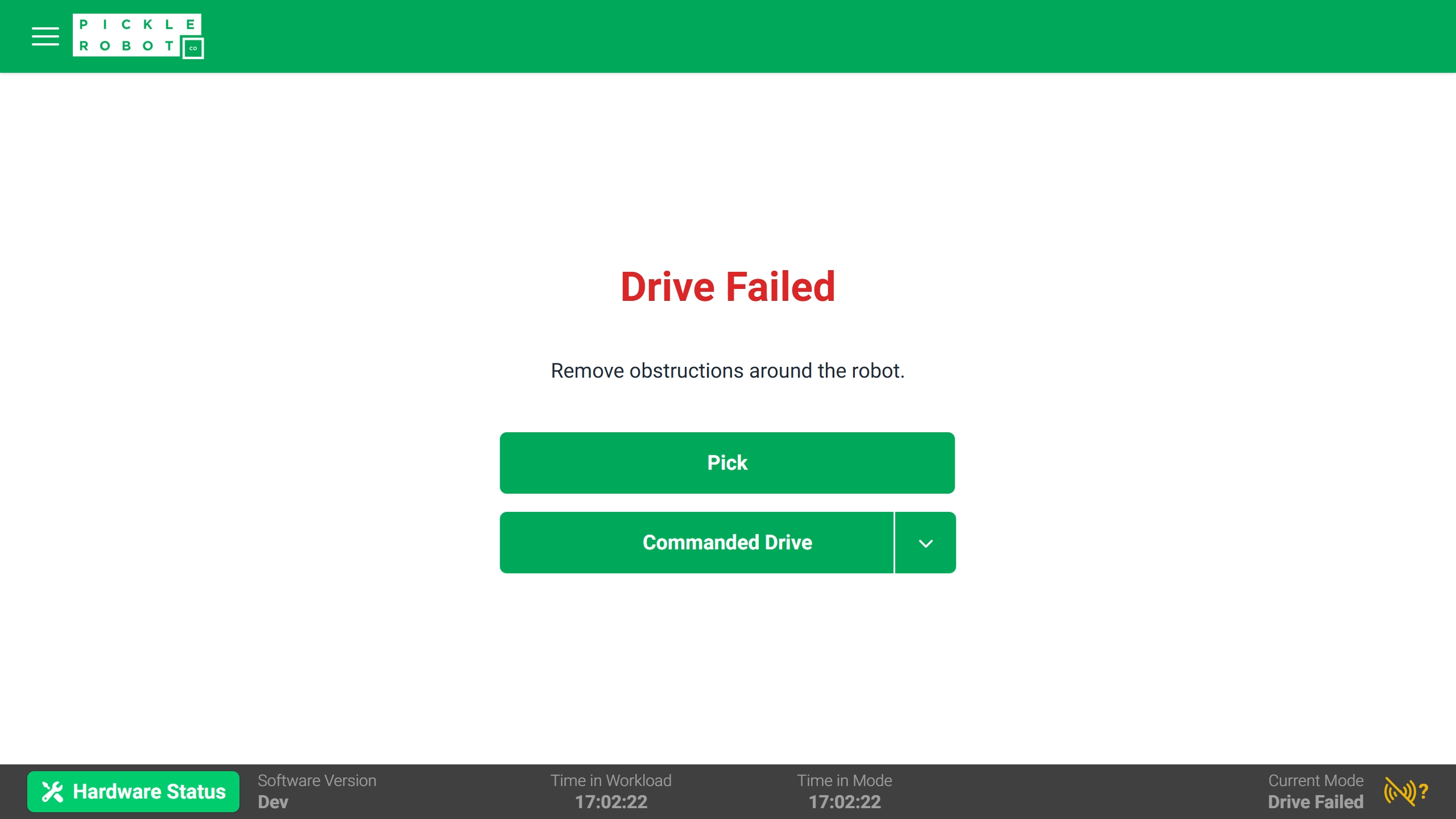
Early designs I brought to customer sites for user testing
Iteration
The first round of research opened the door to a more structured process. Over the course of two major software releases, I would ship a round of design improvements, fly to two customer sites to test them with real operators, then bring the findings back and repeat. By the end, all high priority usability issues from the original research had been resolved.
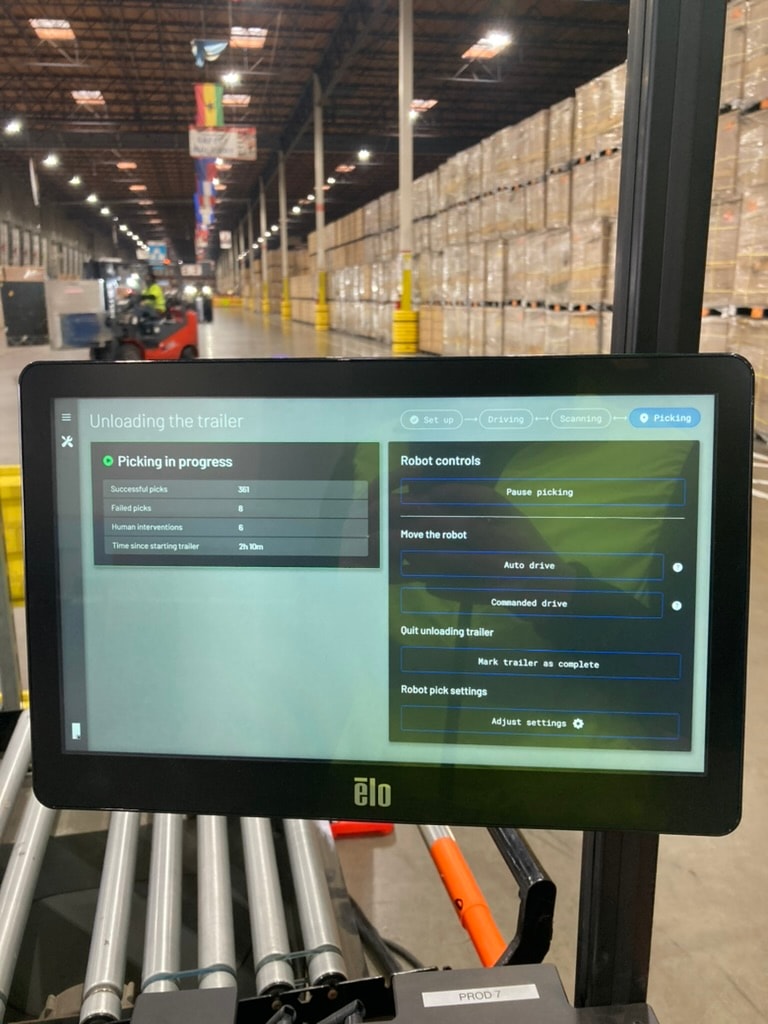
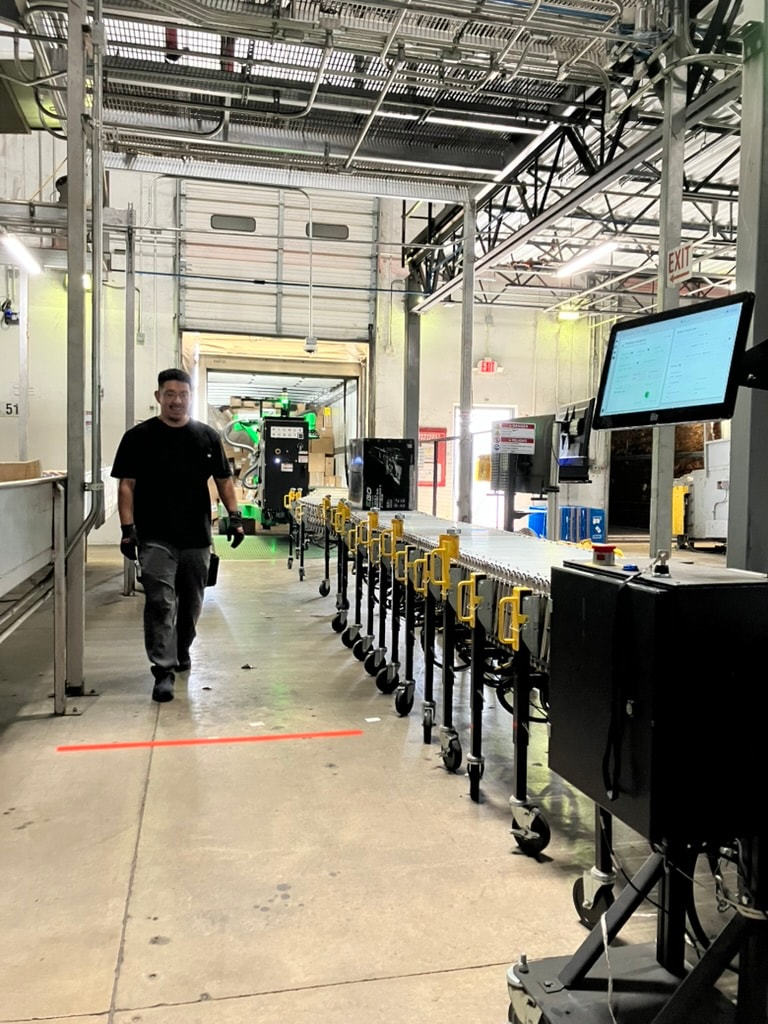
Early designs in the wild
Handover achieved
About a year after I joined, Pickle handed over its first group of robots to a customer site - no Pickle engineer in the building. Dozens of operators across multiple sites had been trained and were running robots independently. An operations manager at our largest customer site put it simply: "Operations have been a success to say the least so far."
We went from an interface that couldn't be put in front of real operators to a product customers could own and run themselves - in twelve months.
A Pickle engineer who operated the robot for the first time during this period said it was "the single smoothest robot operating experience I've ever had - it's wild that I can tell it to go pick up a box and it just does it."
Handover was a company-wide effort, but it wasn't possible without getting the operator experience right.
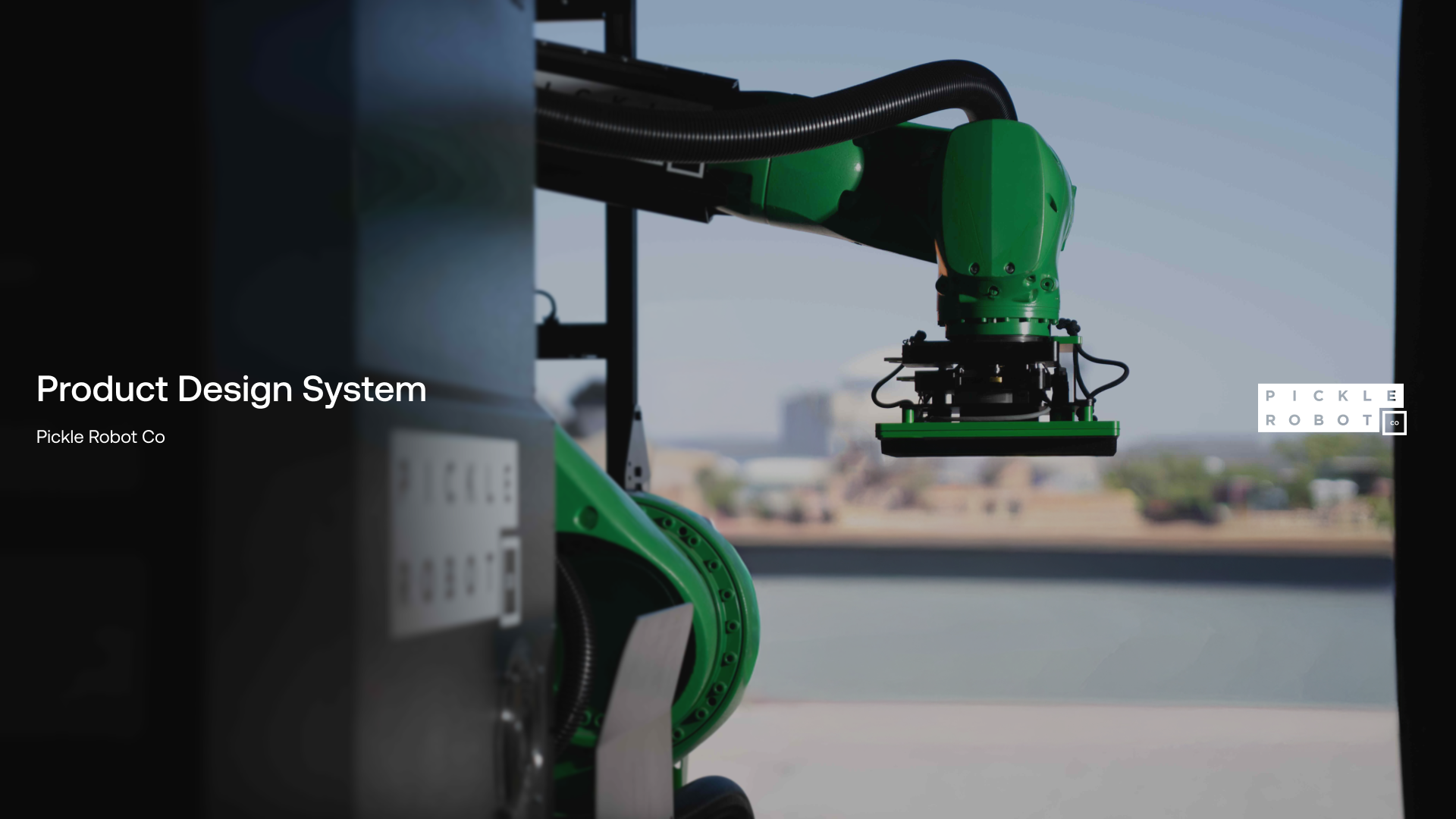
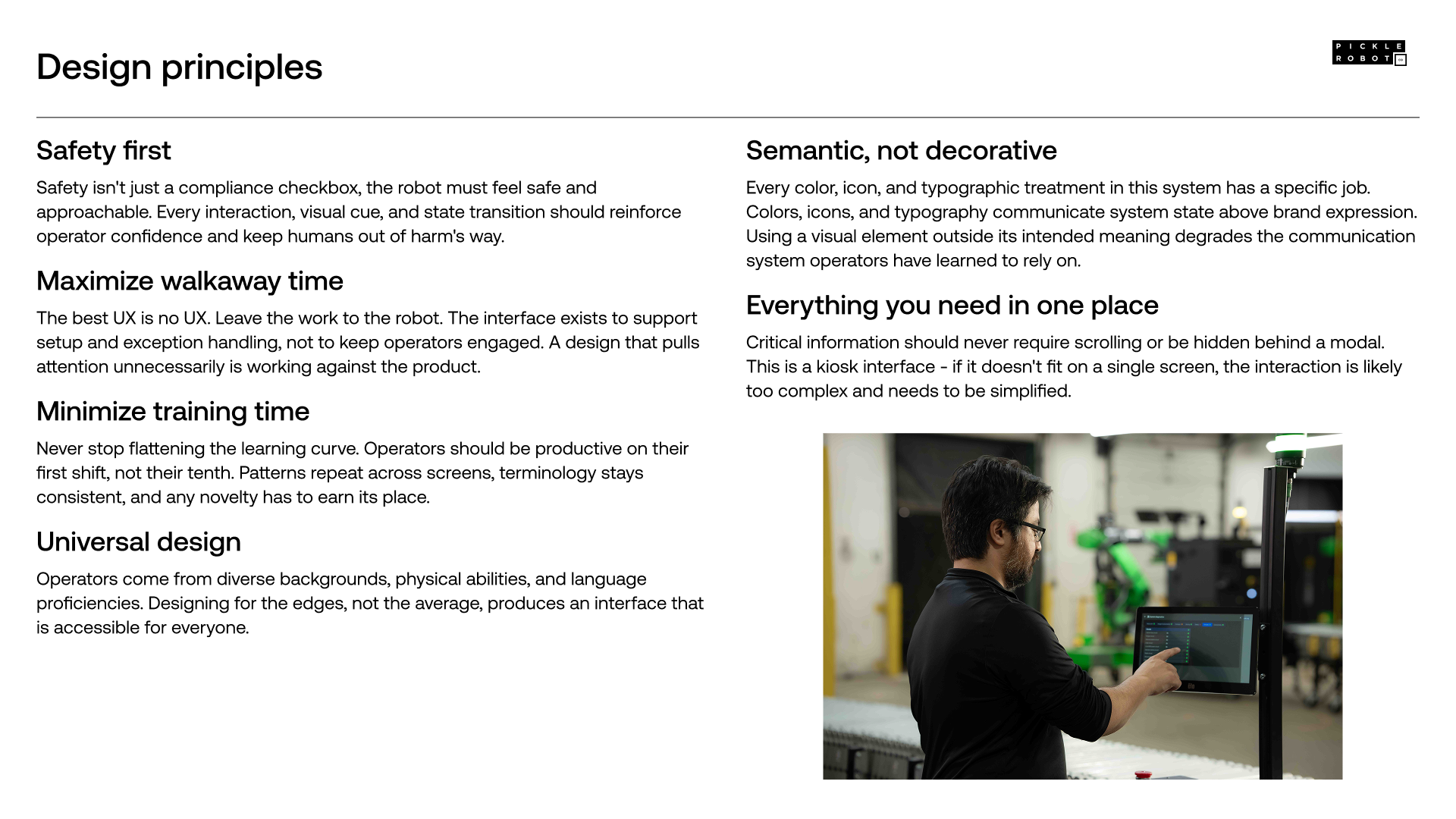
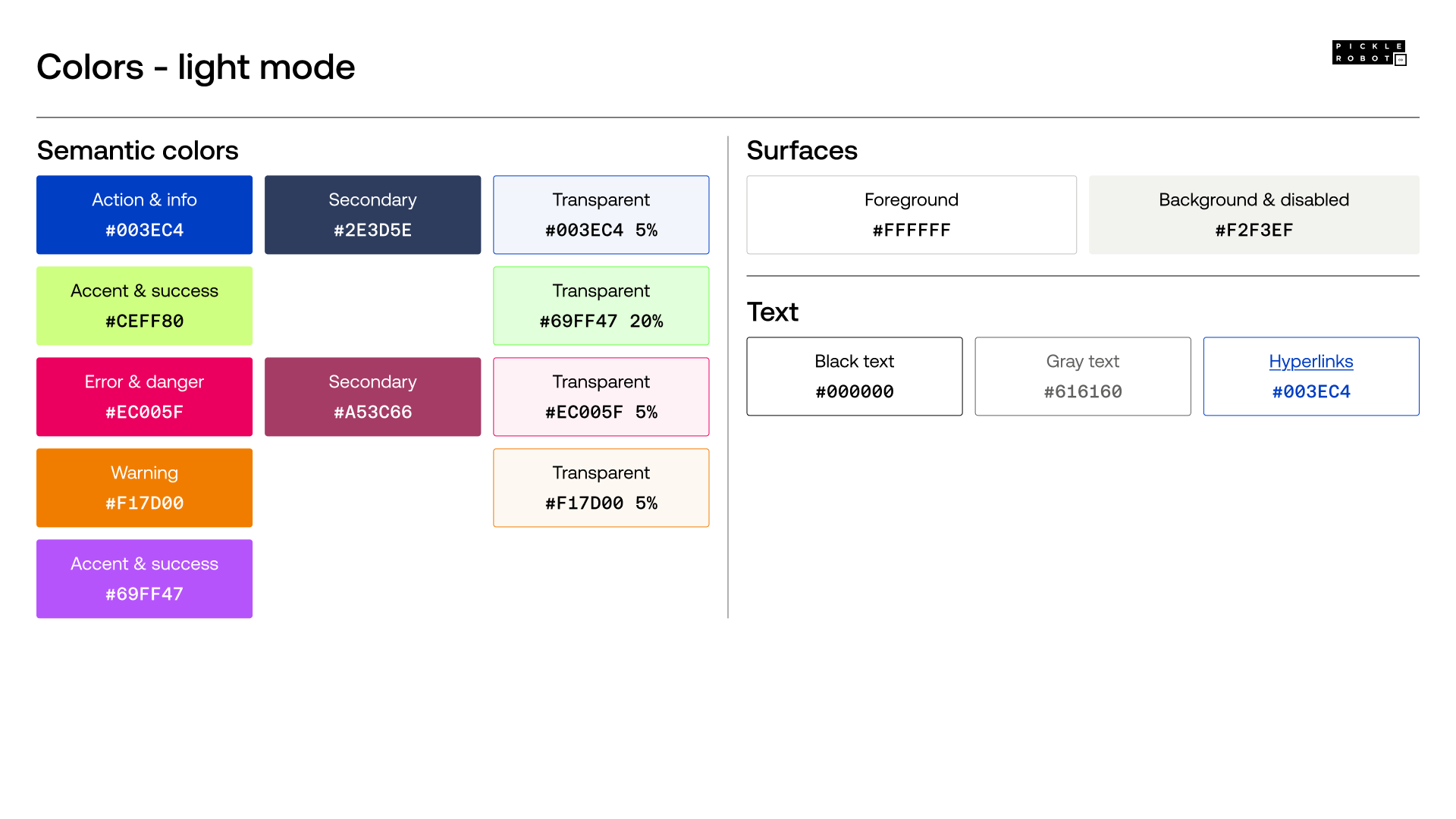
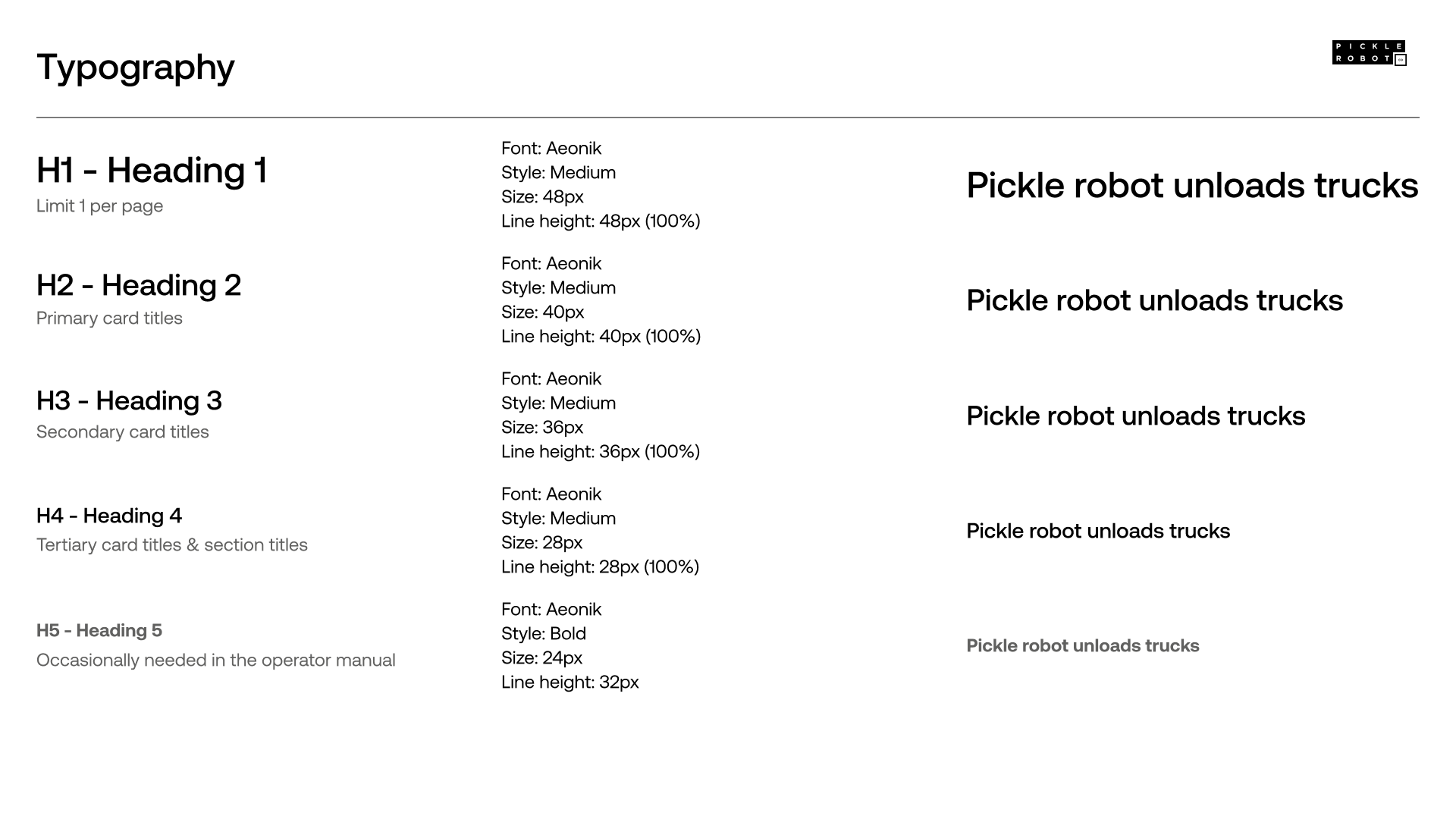
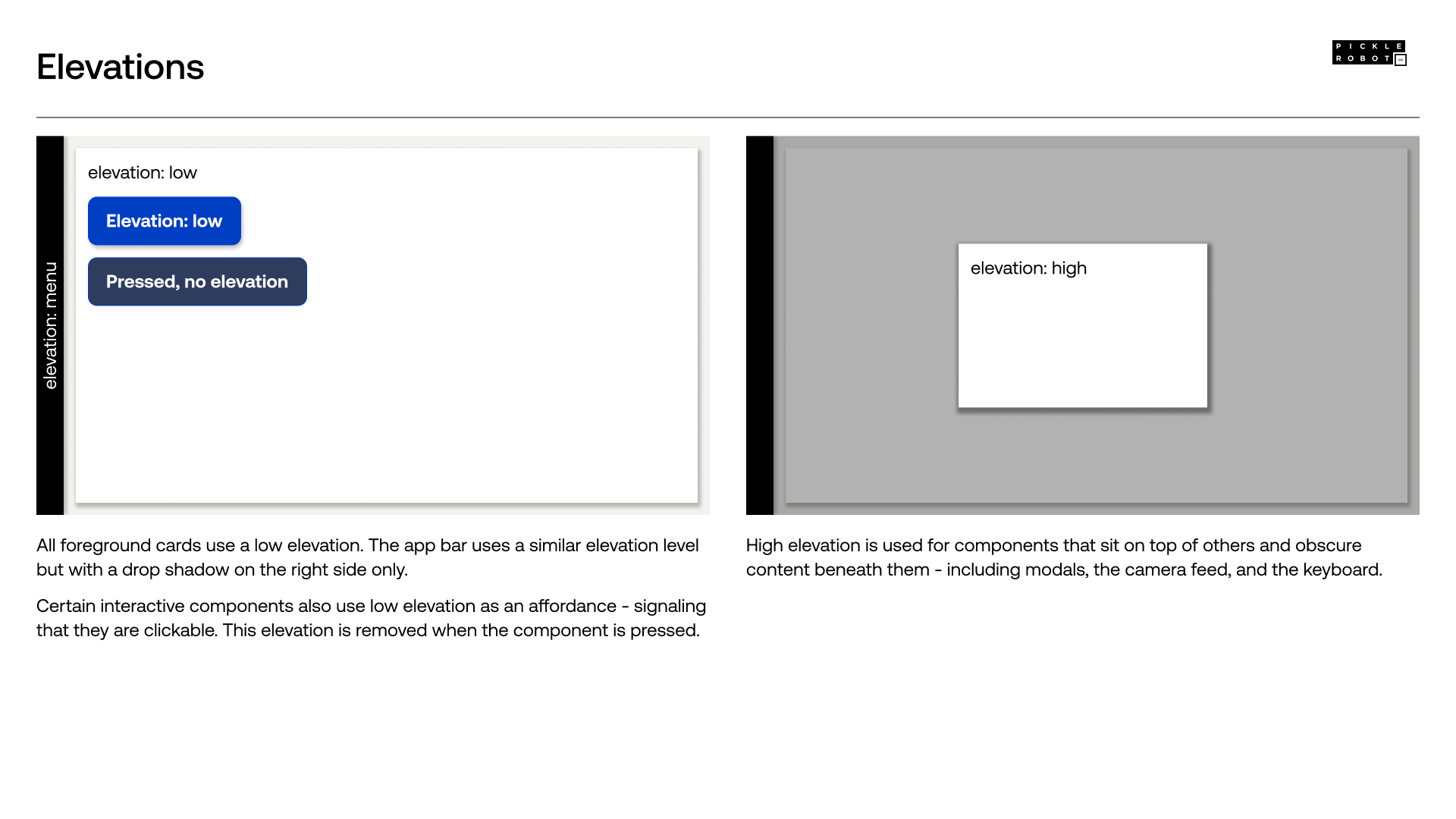
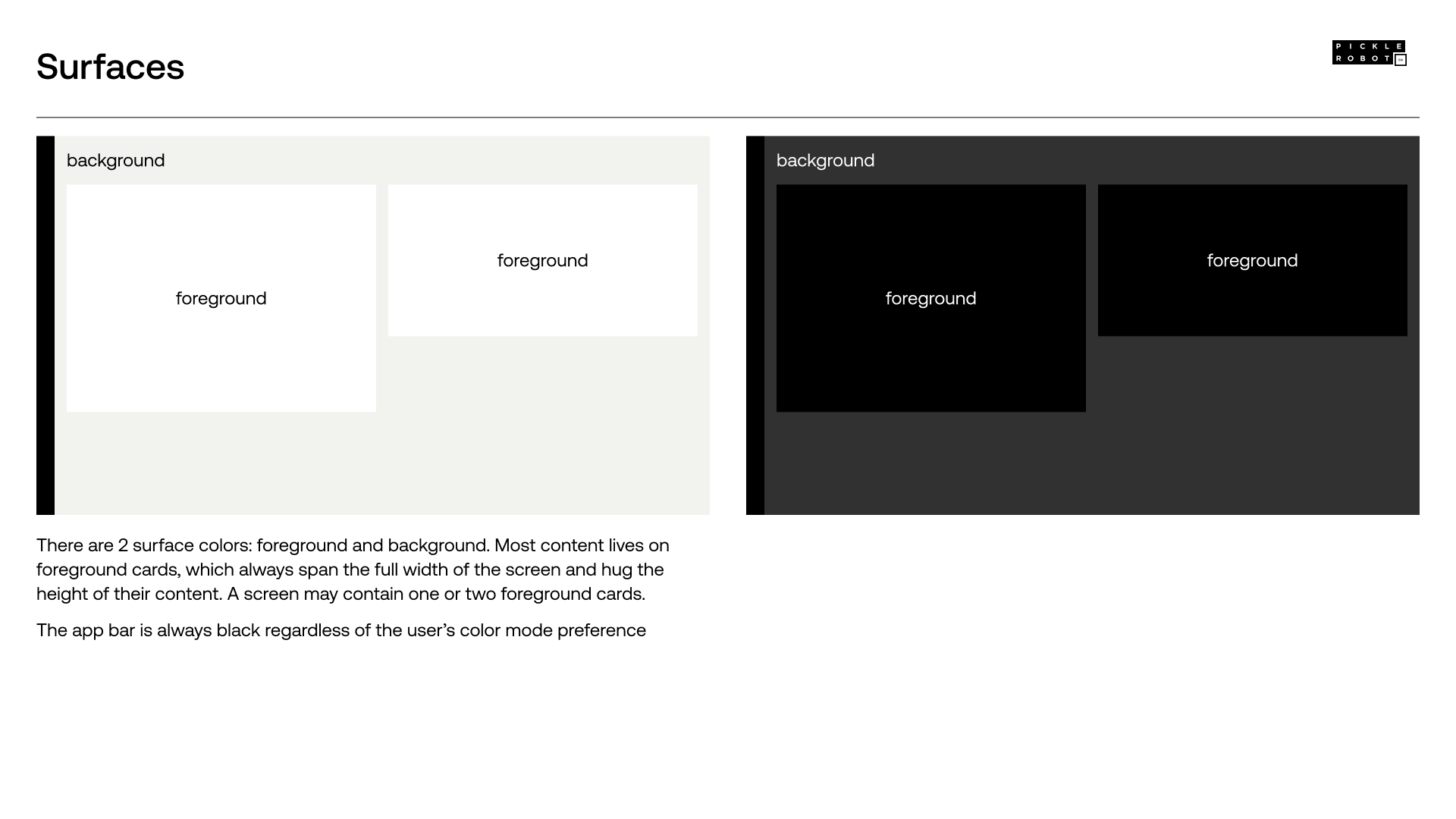
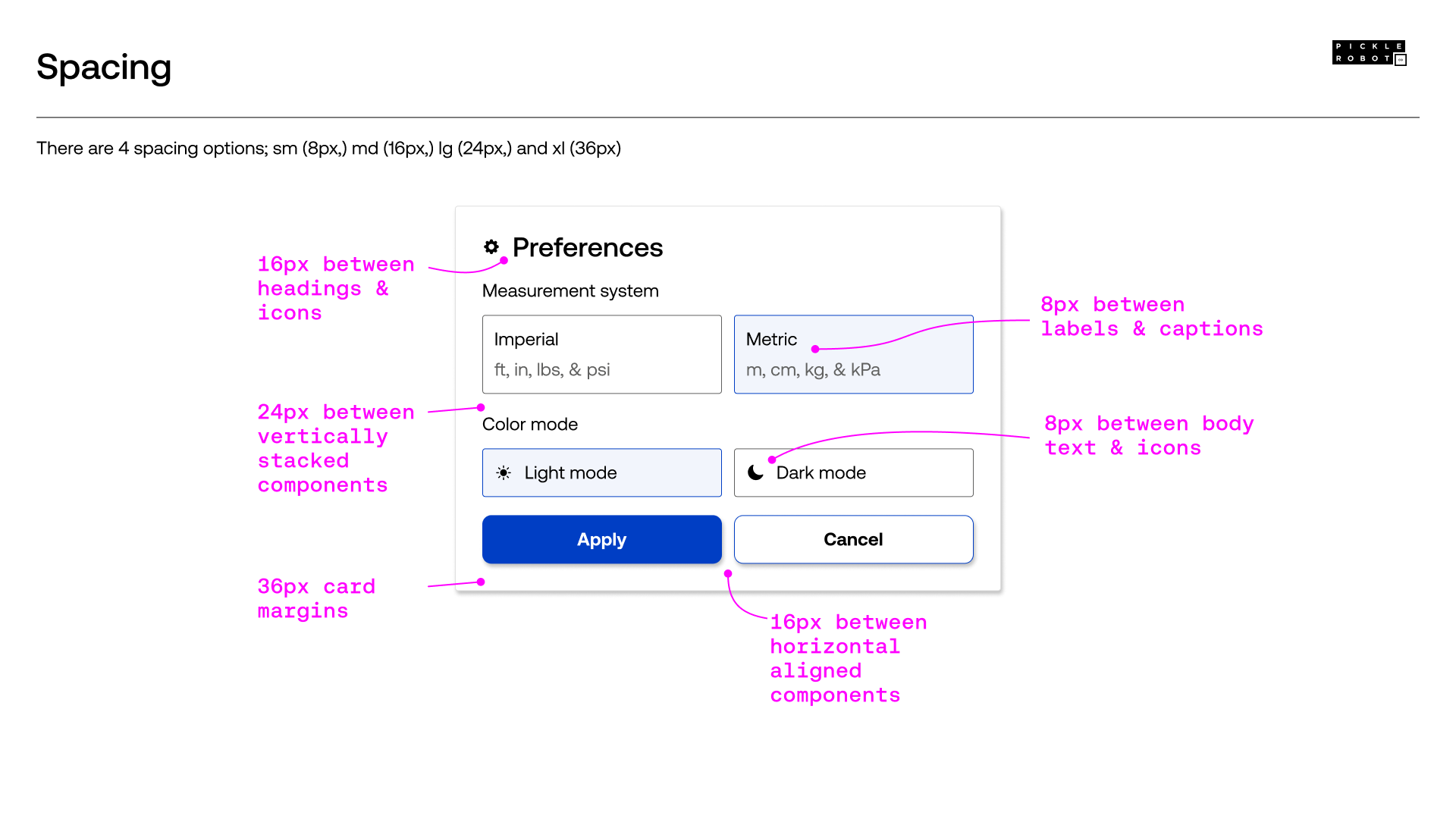
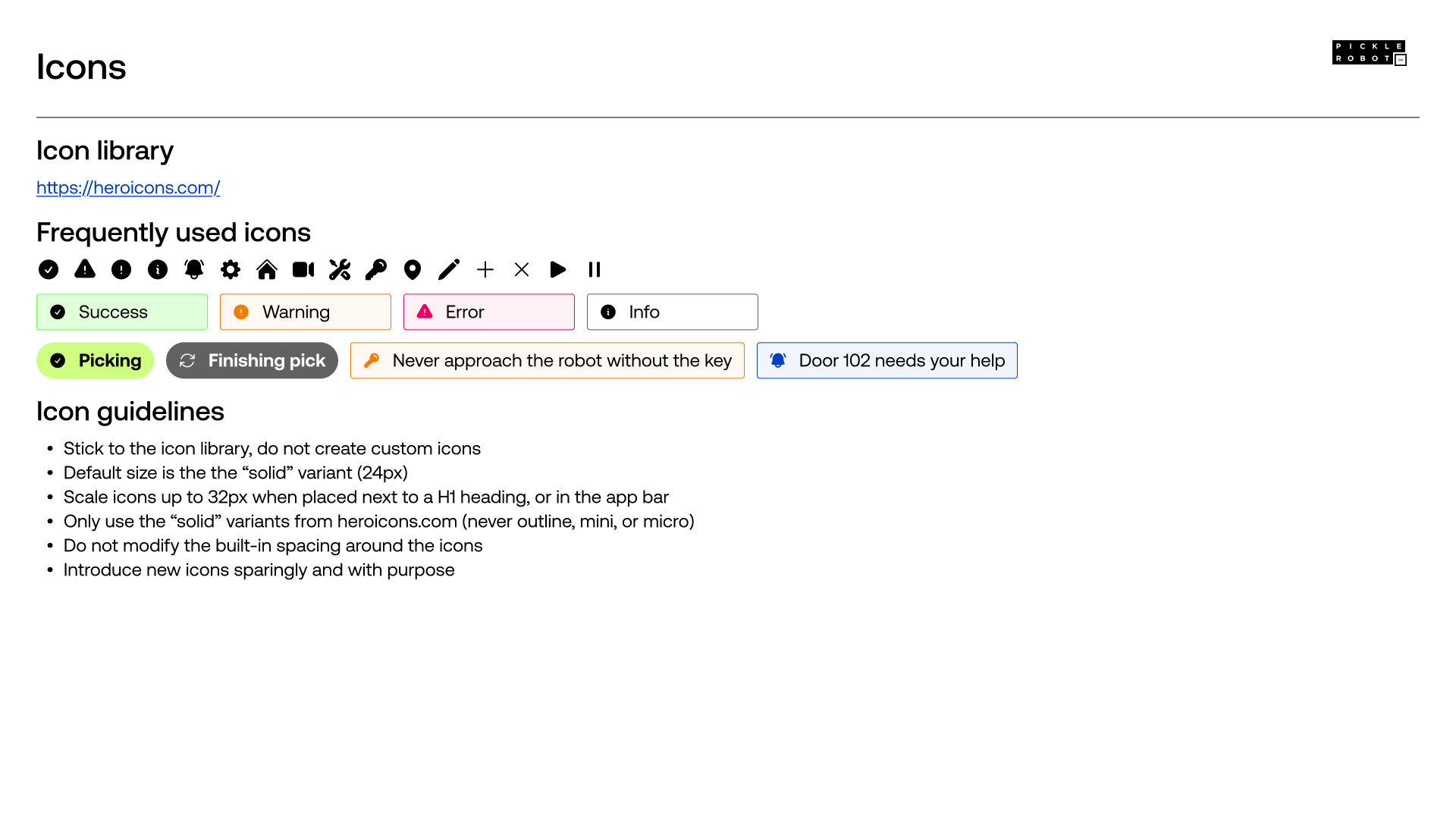
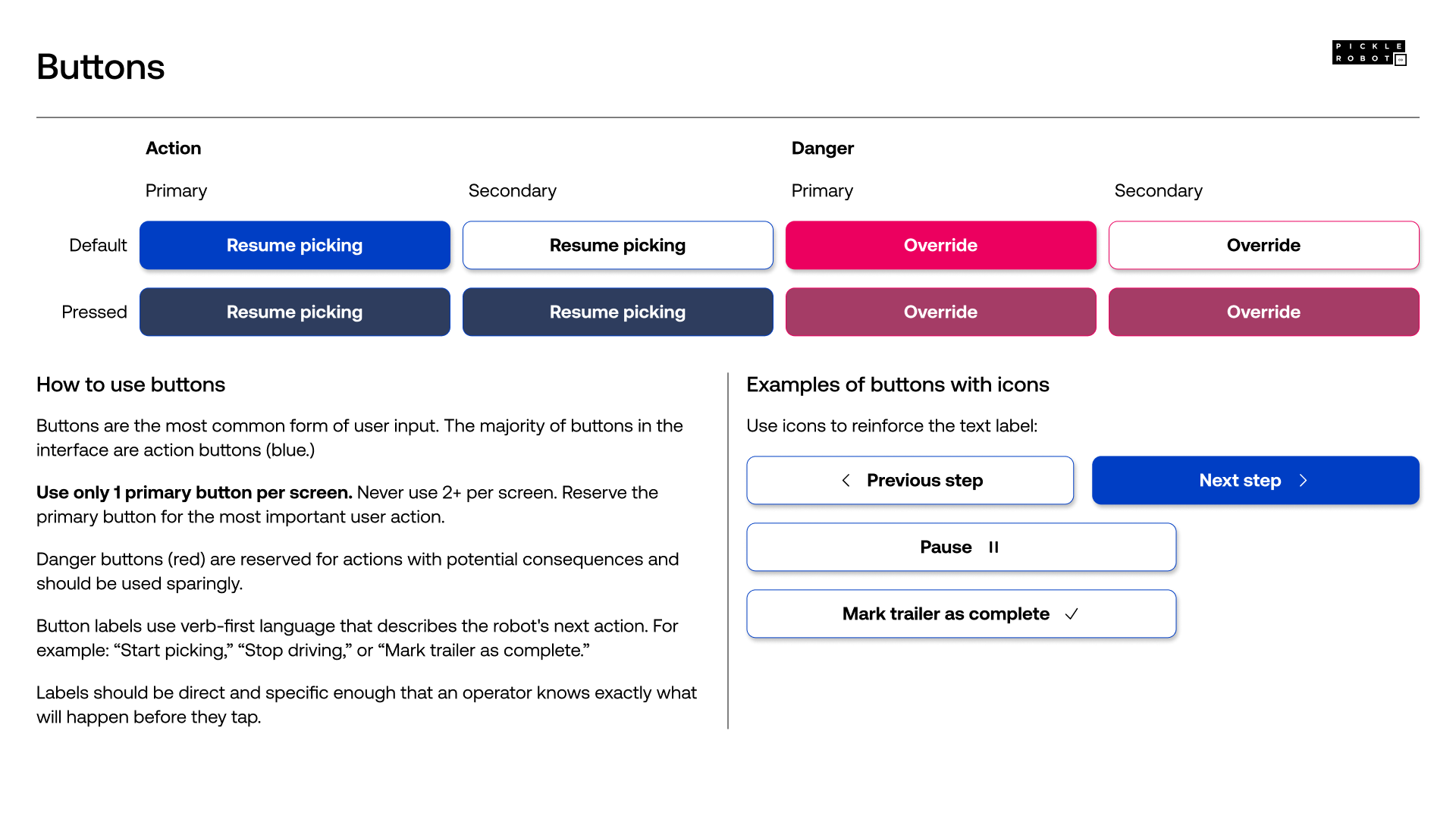
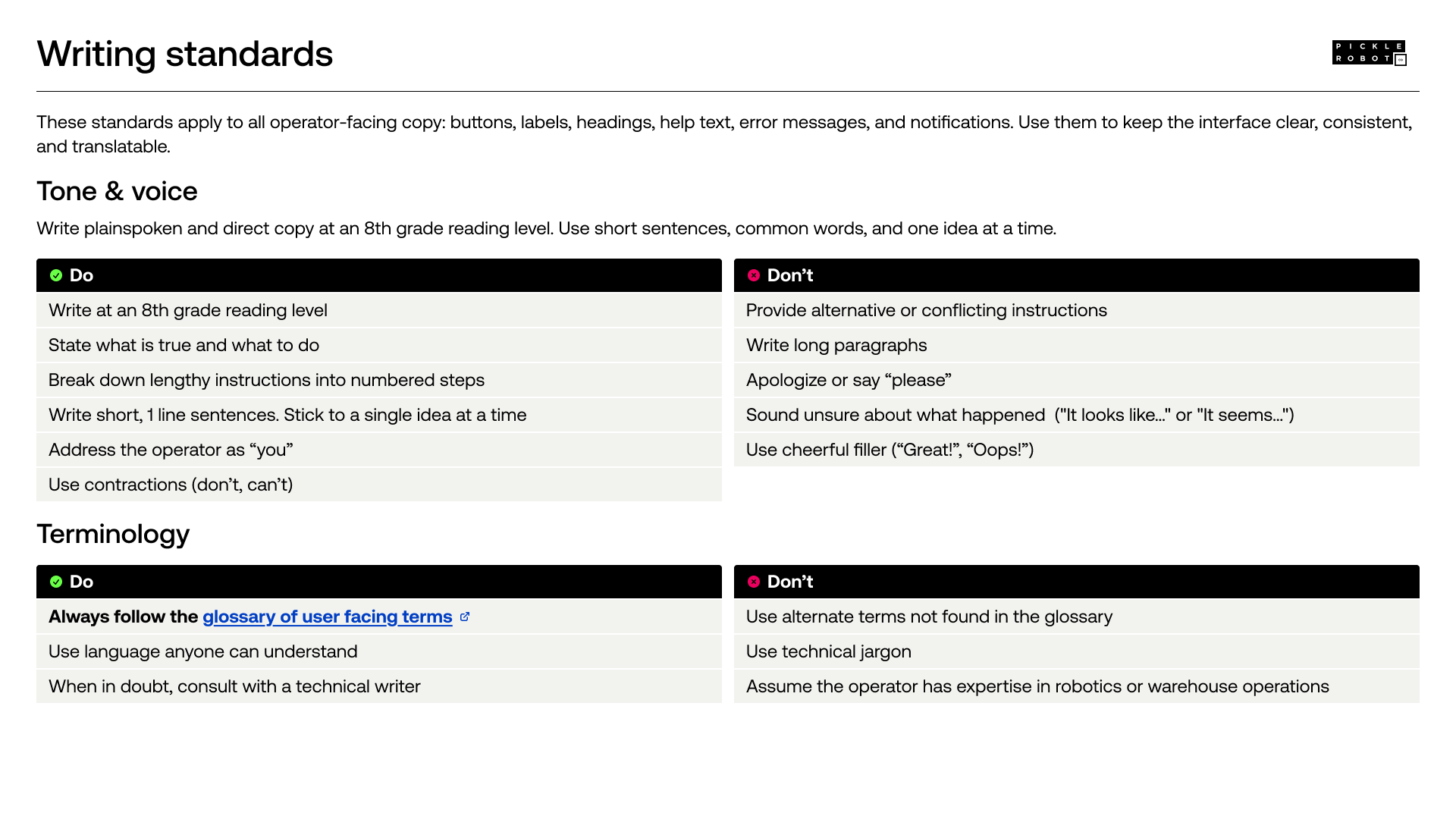
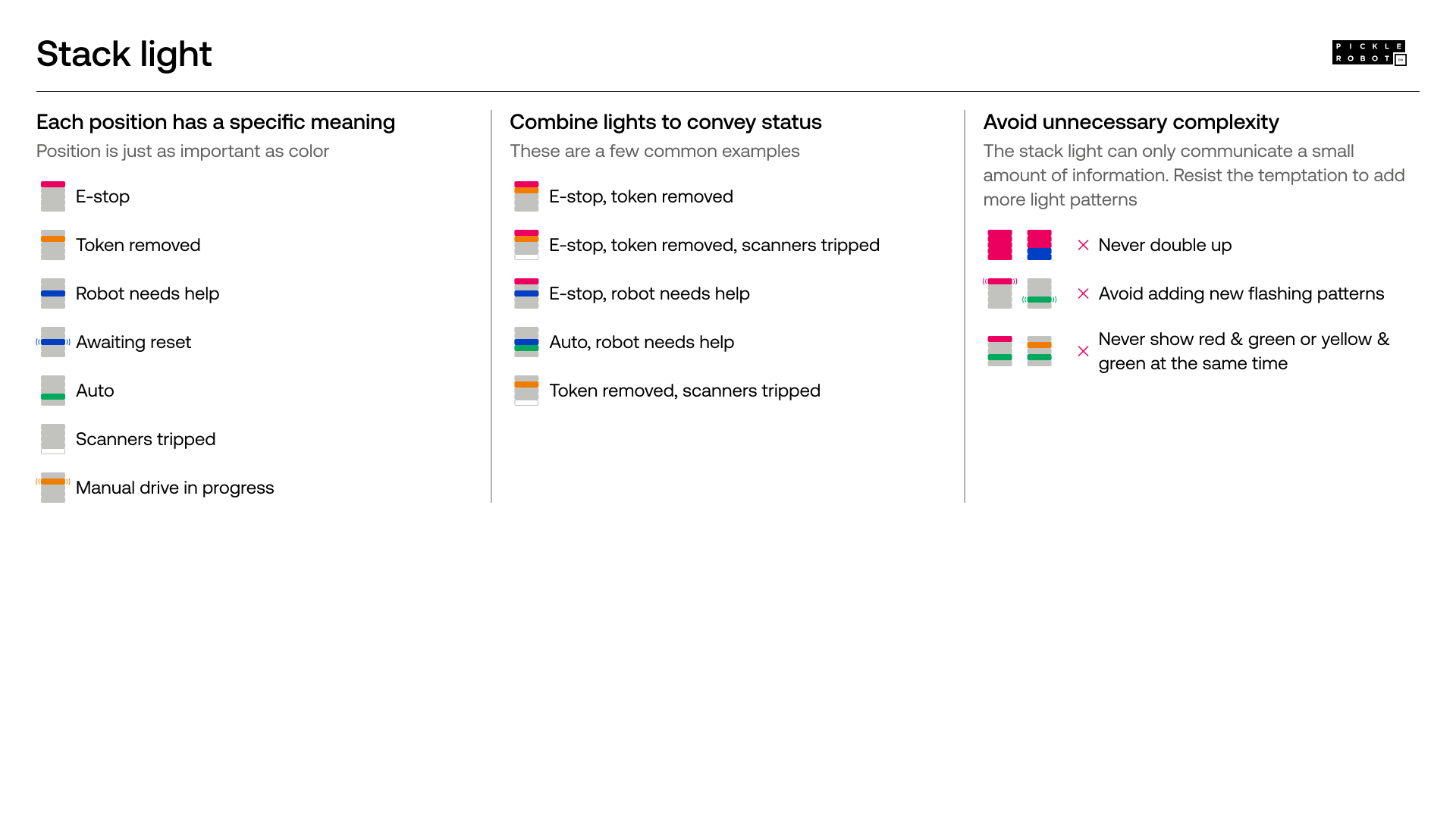
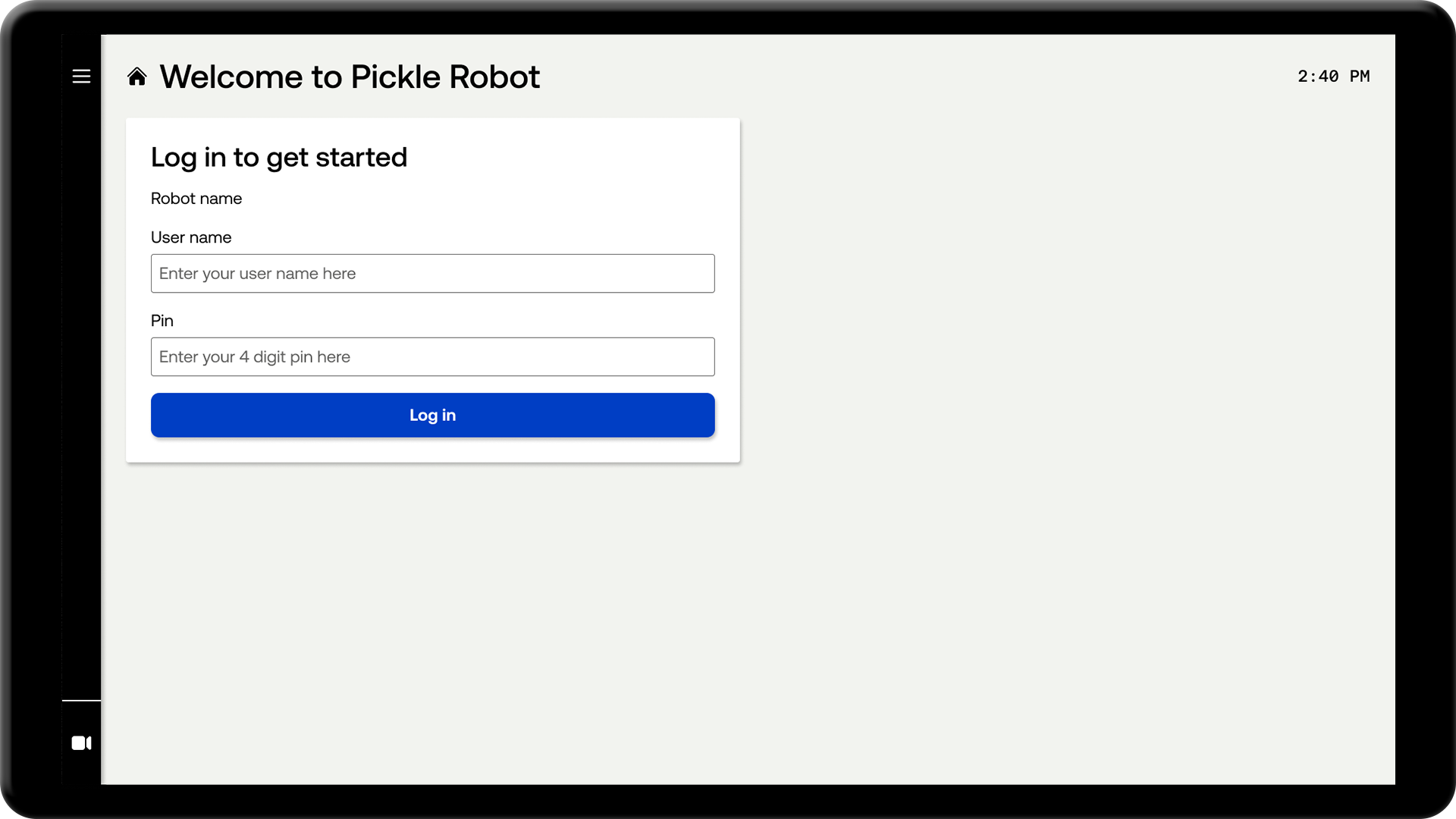
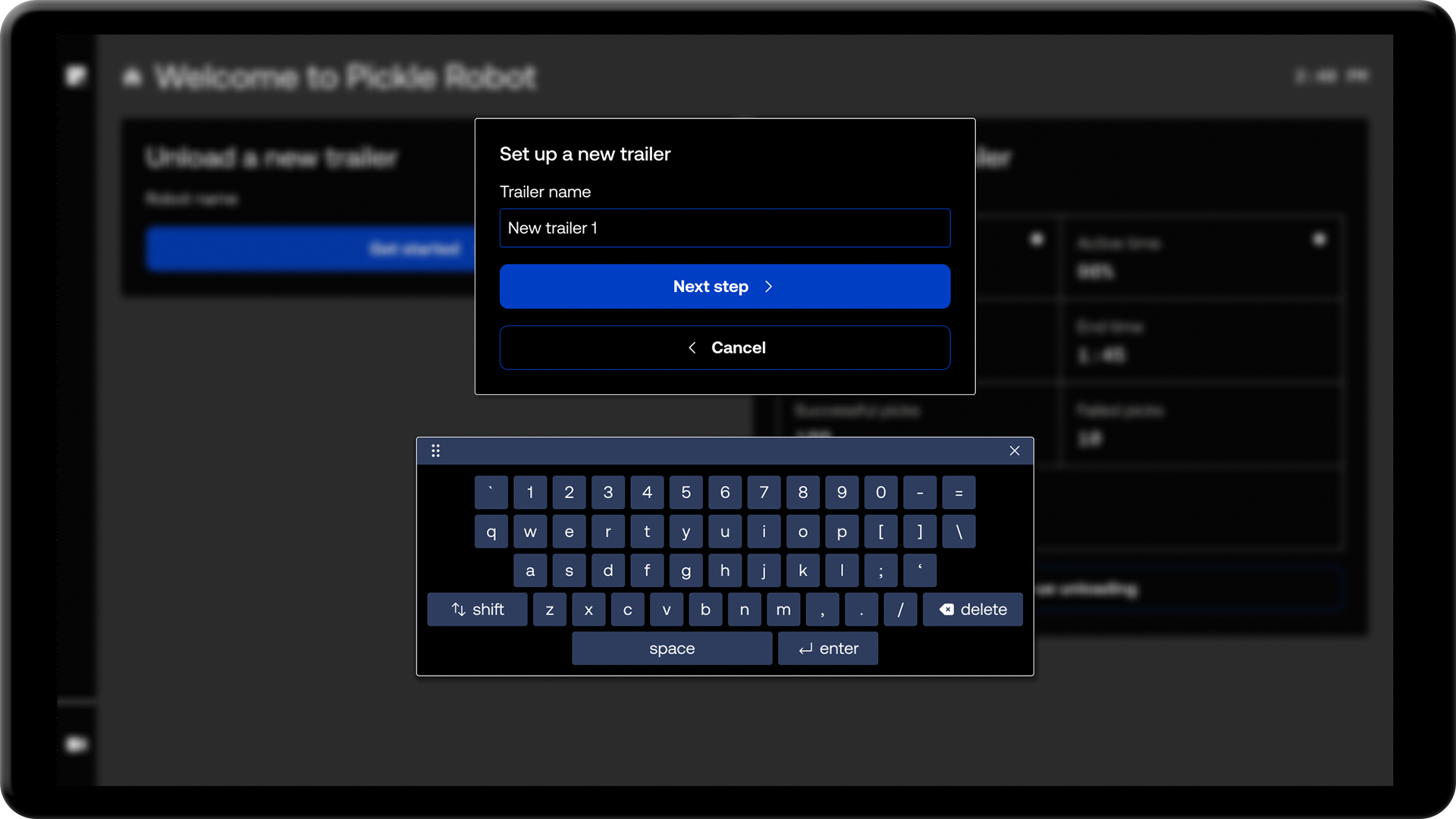
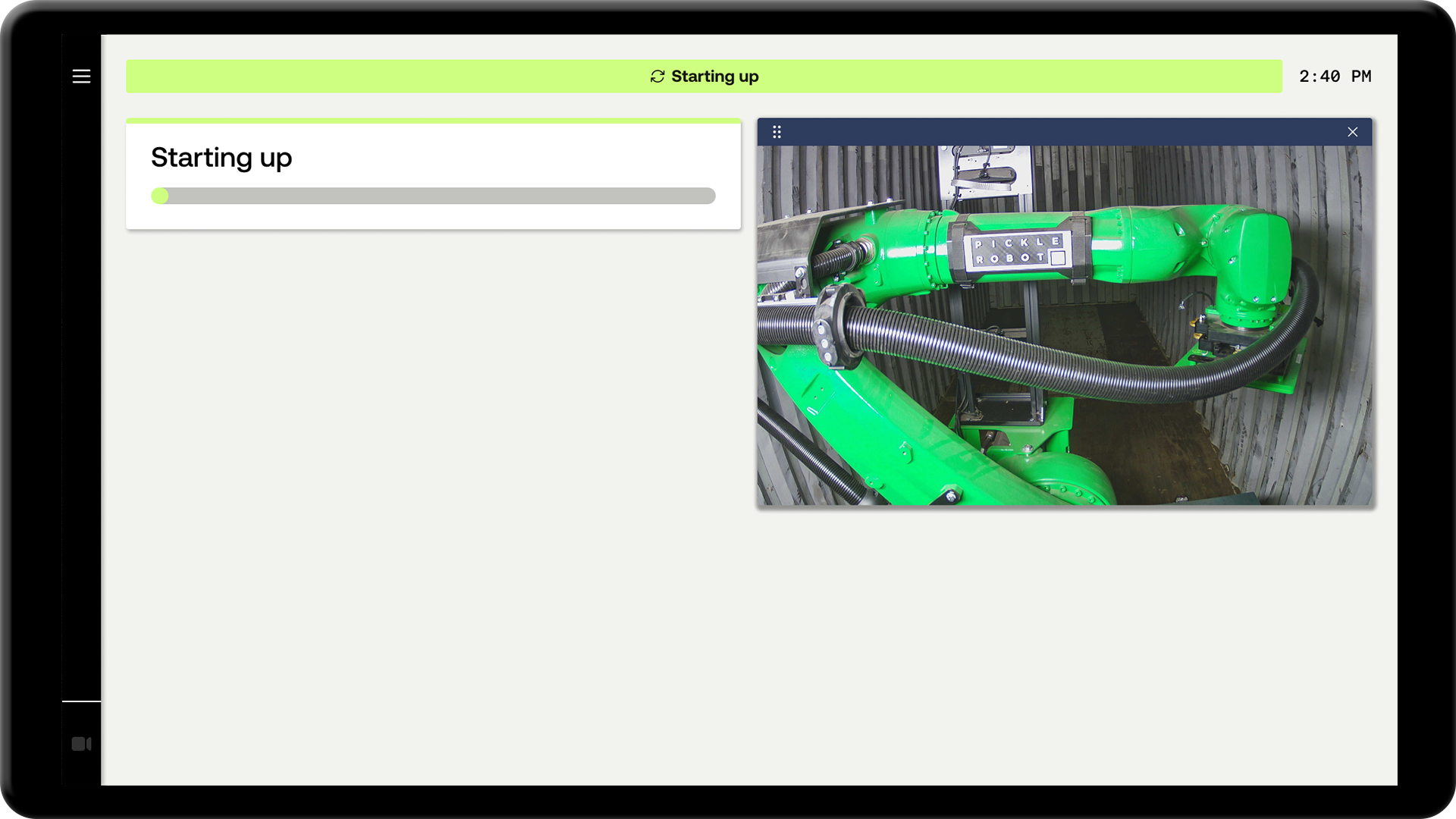
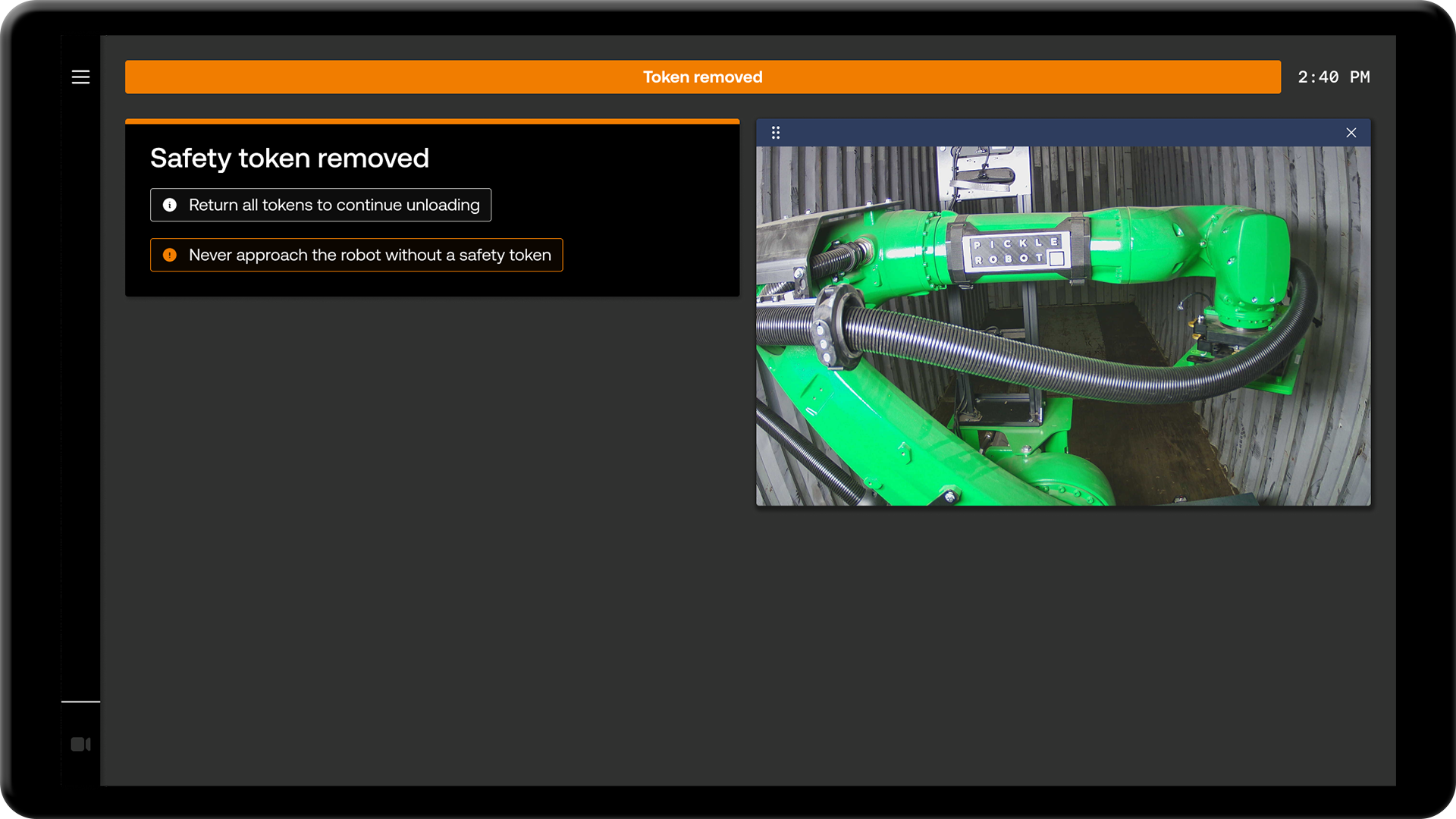
Examples of design system documentation
More example screens

Next case study

Pickle Robot Design System
P
Robot
Physical AI for supply chain automation
h1
Elevation: low
Open the door & install the ramp
body
Driving
Unload trailer
Starting up
1
Creating the Pickle Robot design system
How I took Pickle Robot's interface from engineer-operated to operator-ready
The problem
Pickle Robot makes autonomous robots that unload trailers and shipping containers. Truck unloading represents the hardest physical labor in the warehouse, a job where turnover is high and the work conditions are grueling. I was brought on as a contractor because the team felt stuck and needed design help. The existing interface was built to get the technology working, not to put it in the hands of operators. It was dense, jargon-heavy, with no clear sense of flow or system status.
At the time, Pickle's own deployment engineers were running the robots on behalf of customers. Getting operators trained and running robots independently was the only way Pickle could scale its business.
I came in knowing I'd need to build trust and establish a UX practice from the ground up at a fast-moving startup.
The interface from before I joined Pickle
Building trust & credibility
I started with a thorough audit of the existing interface - documenting user flows, inconsistencies, and missing feedback states. The core workflows were actually in decent shape; an experienced user could operate the robot once they understood the overall process. The real gap was in how the interface communicated system state. There was no sense of wayfinding, no feedback about what the robot was doing or why.
I built an initial design system to address this directly, applying accessibility standards and established HMI conventions throughout. I also partnered with the technical writer to publish a glossary of customer-facing terms and remove technical jargon from the product.
The result was a set of roughly 100 high-fidelity designs - a complete visual overhaul of the existing interface. The team's response was immediate. For the first time, they could see what the product was capable of becoming.
Audit of the original user flows
User testing at customer sites
With operator training a few months out, I worked closely with the front-end engineer to see the redesign through to production. I also partnered with the technical writer to make sure the first operator manual was ready in time.
The training sessions were our first opportunity to collect real user feedback. I flew to the customer sites to observe, interview operators, and document issues firsthand. The findings went back to the executive team as a prioritized list of usability improvements.
We scored a 77 on the System Usability Scale - above the industry average of 68. It's worth noting the survey was administered right after training, so operators had limited time on the robot. The key finding I brought back to leadership: the interface was ready for handover, but operators still needed a Pickle engineer on-site.
Early designs I brought to customer sites for user testing
Iteration
The first round of research opened the door to a more structured process. Over the course of two major software releases, I would ship a round of design improvements, fly to two customer sites to test them with real operators, then bring the findings back and repeat. By the end, all high priority usability issues from the original research had been resolved.
Early designs in the wild
Handover achieved
About a year after I joined, Pickle handed over its first group of robots to a customer site - no Pickle engineer in the building. Dozens of operators across multiple sites had been trained and were running robots independently. An operations manager at our largest customer site put it simply: "Operations have been a success to say the least so far."
We went from an interface that couldn't be put in front of real operators to a product customers could own and run themselves - in twelve months.
A Pickle engineer who operated the robot for the first time during this period said it was "the single smoothest robot operating experience I've ever had - it's wild that I can tell it to go pick up a box and it just does it."
Handover was a company-wide effort, but it wasn't possible without getting the operator experience right.
Examples of design system documentation
More example screens
Next case study
Pickle Robot Design System
P
Robot
Physical AI for supply chain automation
h1
Elevation: low
Open the door & install the ramp
body
Driving
Unload trailer
Starting up
1
Creating the Pickle Robot design system
How I took Pickle Robot's interface from engineer-operated to operator-ready
The problem
Pickle Robot makes autonomous robots that unload trailers and shipping containers. Truck unloading represents the hardest physical labor in the warehouse, a job where turnover is high and the work conditions are grueling. I was brought on as a contractor because the team felt stuck and needed design help. The existing interface was built to get the technology working, not to put it in the hands of operators. It was dense, jargon-heavy, with no clear sense of flow or system status.
At the time, Pickle's own deployment engineers were running the robots on behalf of customers. Getting operators trained and running robots independently was the only way Pickle could scale its business.
I came in knowing I'd need to build trust and establish a UX practice from the ground up at a fast-moving startup.
The interface from before I joined Pickle
Building trust & credibility
I started with a thorough audit of the existing interface - documenting user flows, inconsistencies, and missing feedback states. The core workflows were actually in decent shape; an experienced user could operate the robot once they understood the overall process. The real gap was in how the interface communicated system state. There was no sense of wayfinding, no feedback about what the robot was doing or why.
I built an initial design system to address this directly, applying accessibility standards and established HMI conventions throughout. I also partnered with the technical writer to publish a glossary of customer-facing terms and remove technical jargon from the product.
The result was a set of roughly 100 high-fidelity designs - a complete visual overhaul of the existing interface. The team's response was immediate. For the first time, they could see what the product was capable of becoming.
Audit of the original user flows
User testing at customer sites
With operator training a few months out, I worked closely with the front-end engineer to see the redesign through to production. I also partnered with the technical writer to make sure the first operator manual was ready in time.
The training sessions were our first opportunity to collect real user feedback. I flew to the customer sites to observe, interview operators, and document issues firsthand. The findings went back to the executive team as a prioritized list of usability improvements.
We scored a 77 on the System Usability Scale - above the industry average of 68. It's worth noting the survey was administered right after training, so operators had limited time on the robot. The key finding I brought back to leadership: the interface was ready for handover, but operators still needed a Pickle engineer on-site.
Early designs I brought to customer sites for user testing
Iteration
The first round of research opened the door to a more structured process. Over the course of two major software releases, I would ship a round of design improvements, fly to two customer sites to test them with real operators, then bring the findings back and repeat. By the end, all high priority usability issues from the original research had been resolved.
Early designs in the wild
Handover achieved
About a year after I joined, Pickle handed over its first group of robots to a customer site - no Pickle engineer in the building. Dozens of operators across multiple sites had been trained and were running robots independently. An operations manager at our largest customer site put it simply: "Operations have been a success to say the least so far."
We went from an interface that couldn't be put in front of real operators to a product customers could own and run themselves - in twelve months.
A Pickle engineer who operated the robot for the first time during this period said it was "the single smoothest robot operating experience I've ever had - it's wild that I can tell it to go pick up a box and it just does it."
Handover was a company-wide effort, but it wasn't possible without getting the operator experience right.
Examples of design system documentation
More example screens
Next case study